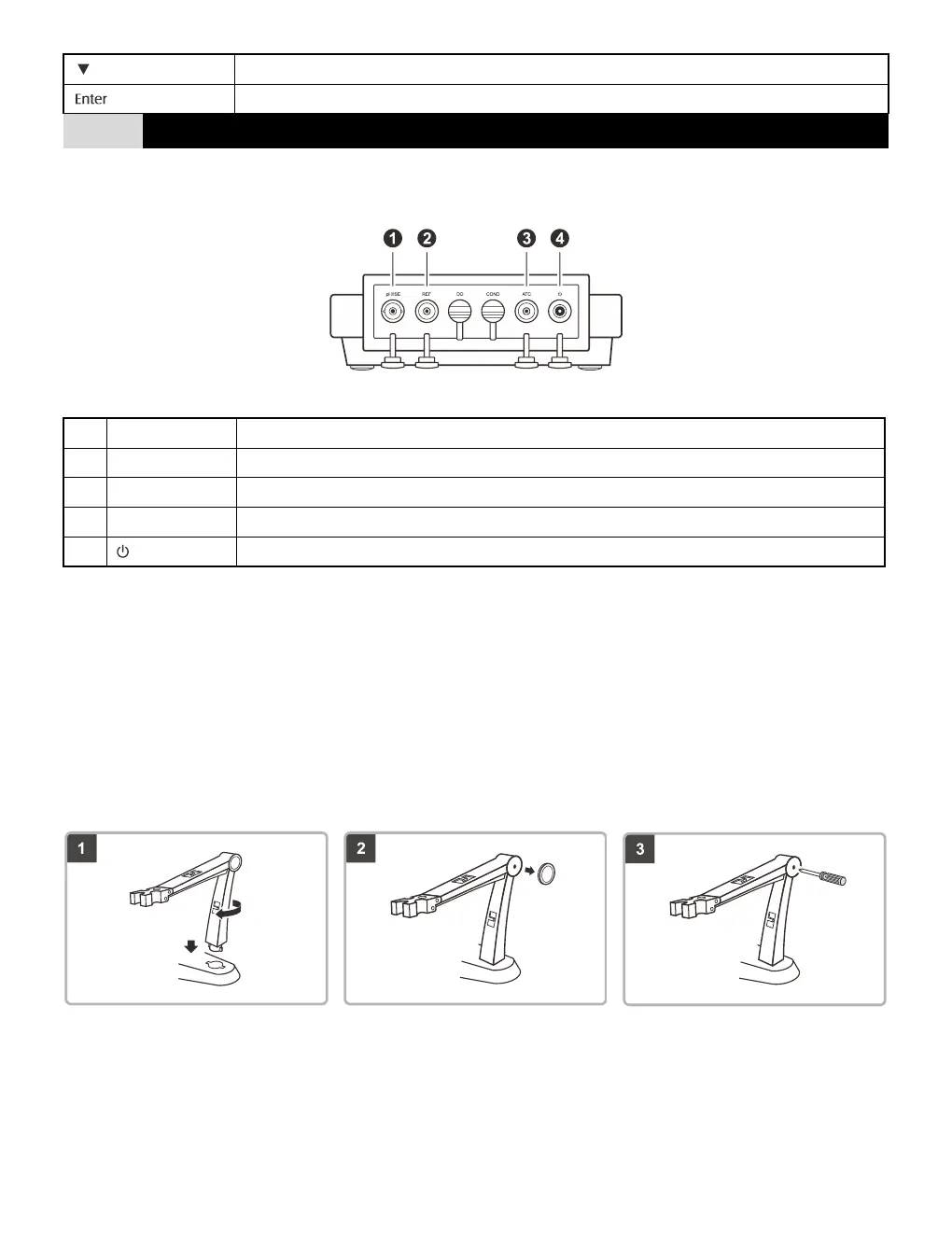
Installing the Electrode Holder
Take out the electrode arm from the accessory box. The base plate of the electrode holder has a circular hole, the electrode arm
has a connecting rod. Insert the connecting rod into the circular hole and swivel the electrode arm 90°. Electrode holder is now
ready to swing into desired position.
Adjusting the electrode arm
After installation, if the electrode arm automatically rises or falls, you need to adjust the screw until arm locate at any position.
1. Remove the plastic cover from the right side of the electrode arm.
2. Use the screwdriver to tighten the screw moderately.
3. Insert the plastic cover to previous position.


 To Next Page