Setup Menu
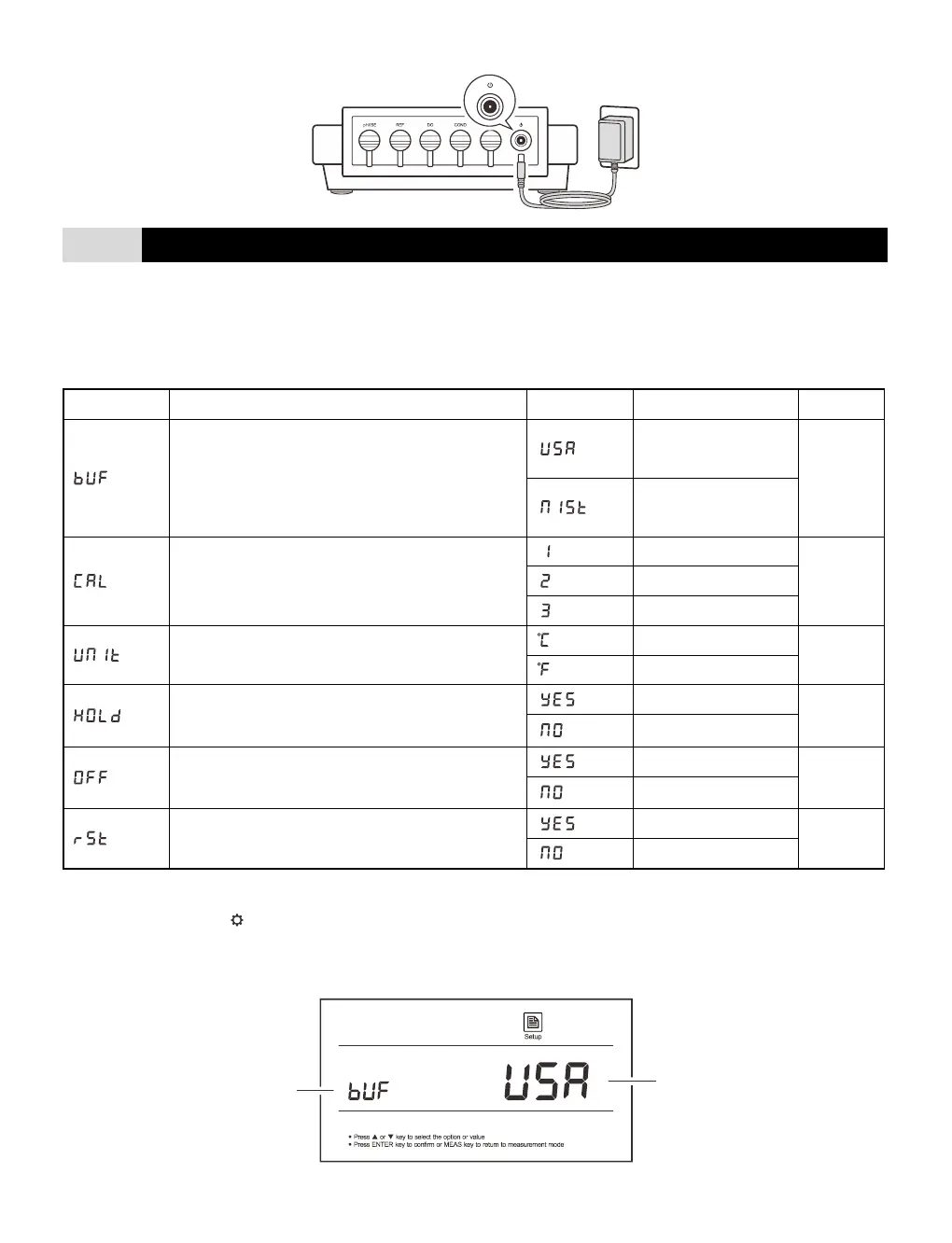
The METRIA M21 pH meter contains an integrated setup menu that is used to customize the displayed option to meet
measurement requirement. The following table describes the functions of each menu item.
Set the pH buffer group for calibration and auto-
recognition.
Set the number of calibration points.
Set the default temperature unit.
When the option is enabled, the meter will
automatically
sense a stable reading and lock the measurement.
When the option is enabled, the meter will
automatically
switch off if no key is pressed within 3 hours.
Reset the meter to factory default settings.
Setting the default option
1. Press and hold the key for 3 seconds to enter the setup menu.
2. Press the / key to select an option, press the Enter key to confirm and switch to the next menu item.
3. Repeat the steps above until the meter returns to the measurement mode.


 To Next Page