EasyManua.ls Logo

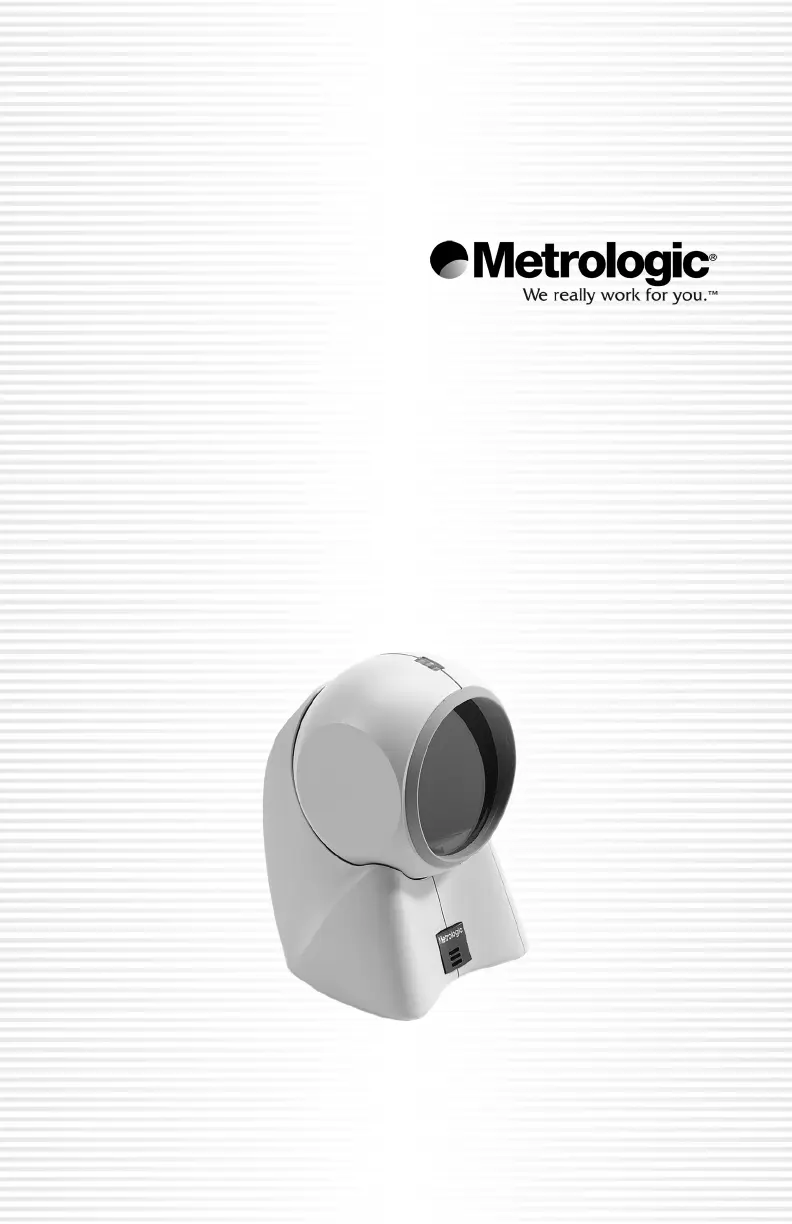
Metrologic MS7120 Orbit - User Manual

Metrologic MS7120 Orbit
52 pages
Print Icon
To Next Page IconTo Next Page
Loading...
METROLOGIC INSTRUMENTS, INC.
MS7120 Orbit
®
Presentation
Laser Scanner
Installation and Users Guide
00-02408D_unit_7120_Cover_Oct_2005.qxd 10/26/2005 11:31 AM Page 1

Questions and Answers

  • C
    Cynthia HoganAug 12, 2025
    Why my Metrologic Barcode Reader scans but does not communicate with the host?
    • C
      chapmankathleenAug 12, 2025
      If your Metrologic Barcode Reader powers up and scans correctly but fails to communicate with the host, the issue might stem from the host's COM port configuration. Verify that the baud rate and parity settings of both the scanner and the communication port are aligned. Also, confirm that the program is configured to receive 'RS-232' data.
  • D
    Daniel BellAug 16, 2025
    How to troubleshoot Metrologic MS7120 Orbit Barcode Reader with no LEDs and no beep?
    • P
      Peter ThomasAug 16, 2025
      If your Metrologic Barcode Reader has no LEDs and no beep, it might not be receiving power. Check the transformer, outlet, and power connections.
  • P
    pattonwilliamAug 20, 2025
    What to do if my Metrologic MS7120 Orbit Barcode Reader scans but there is no data?
    • R
      rfergusonAug 20, 2025
      If your Metrologic Barcode Reader scans a bar code but no data is transmitted, the configuration might be incorrect. Ensure the scanner is set to the correct mode and check the internal jumper.
  • J
    John HurleyAug 23, 2025
    Why does my Metrologic MS7120 Orbit beep for some barcodes but not others?
    • O
      ogriffinAug 23, 2025
      If your Metrologic Barcode Reader beeps for some barcodes but not others of the same type, the print quality of the problematic barcodes may be poor. Check the print mode settings, as the printer type could be the cause. Adjust print settings; for example, switch between econo mode and high-speed mode.
  • L
    Laurie PughAug 27, 2025
    What to do if Metrologic Barcode Reader scans but no data?
    • R
      rileyzacharyAug 27, 2025
      If your Metrologic Barcode Reader scans barcodes but no data is transmitted, the issue might be due to incorrect configuration. Verify that the scanner is set to the correct mode and check the internal jumper.
  • A
    Anthony JohnsonAug 31, 2025
    Why Metrologic Barcode Reader scans OK but does not communicate properly?
    • P
      Paul CarneyAug 31, 2025
      If your Metrologic Barcode Reader powers up and scans correctly but fails to communicate with the host, the problem might be with the host's COM port configuration. Ensure that the baud rate and parity settings of both the scanner and the communication port match, and confirm that the program is configured to receive “RS-232" data.
  • K
    Katherine TrevinoSep 4, 2025
    Why Metrologic Barcode Reader beeps at some bar codes and not others?
    • J
      James EdwardsSep 4, 2025
      If your Metrologic Barcode Reader beeps for some barcodes but not for others of the same type, the bar code print quality might be poor. Check the print mode, as the printer type could be the issue. Adjust print settings; for example, switch between econo mode and high speed.
  • A
    Alejandro WhitneySep 7, 2025
    How to fix Metrologic Barcode Reader with no LEDs and no beep?
    • J
      Jessica RodriguezSep 7, 2025
      If your Metrologic Barcode Reader has no LEDs and no beep, the issue is likely a power problem. Check the transformer, outlet, and power connections.

Summary

INTRODUCTION

SCANNER AND ACCESSORIES

Basic Kit Components

Lists the essential components included in the scanner package.

Optional Scanner Accessories

Details additional items available for purchase to enhance scanner functionality.

OPERATIONAL NOTES

Installation for RS232, OCIA and IBM 46 XX Interfaces

Installation for Keyboard Wedge Interface

Installation for Stand Alone Keyboard Interface

Installation Notes for USB Interface

Installation Notes for MS7120-00 Laser Emulation

SCANNER PARTS

Scanner Component Identification

Identifies and describes the key physical components of the scanner.

AUDIBLE INDICATORS

Scanner Audible Feedback

Explains the different sounds the scanner makes and their meanings.

VISUAL INDICATORS

Scanner LED Status Indicators

Details the meaning of the scanner's LED light patterns.

FAILURE MODES

Scanner Failure Mode Indicators

Describes indicator patterns and sounds associated with scanner malfunctions.

LABELS

MAINTENANCE

SCAN VOLUME SPECIFICATIONS

Optimal Low Density Scan Volume

Specifies scan area dimensions for optimal low-density bar codes.

Optimal High Density Scan Volume

Specifies scan area dimensions for optimal high-density bar codes.

SCAN VOLUME SPECIFICATIONS (CONT.)

Close Range Scan Volume

Details the scan area for close-range bar code reading.

Normal Range Scan Volume

Details the scan area for normal-range bar code reading.

SCAN VOLUME SPECIFICATIONS (CONT.)

Far Range Scan Volume

Details the scan area for far-range bar code reading.

DEPTH OF FIELD BY MINIMUM BAR CODE ELEMENT WIDTH

Optimal Low Density Depth of Field

Shows depth of field based on minimum bar code element width for optimal low density.

DEPTH OF FIELD BY MINIMUM BAR CODE ELEMENT WIDTH (CONT.)

Optimal High Density Depth of Field

Shows depth of field based on minimum bar code element width for optimal high density.

DEPTH OF FIELD BY MINIMUM BAR CODE ELEMENT WIDTH (CONT.)

Close Range Depth of Field

Shows depth of field based on minimum bar code element width for close range.

DEPTH OF FIELD BY MINIMUM BAR CODE ELEMENT WIDTH (CONT.)

Normal Range Depth of Field

Shows depth of field based on minimum bar code element width for normal range.

DEPTH OF FIELD BY MINIMUM BAR CODE ELEMENT WIDTH (CONT.)

Far Range Depth of Field

Shows depth of field based on minimum bar code element width for far range.

INSTALLING THE OPTIONAL WALL;COUNTER MOUNT

TROUBLESHOOTING GUIDE

MS7120 Series Troubleshooting

Provides common issues and solutions for the MS7120 scanner.

RS-232 Demonstration Program

APPLICATIONS AND PROTOCOLS

DESIGN SPECIFICATIONS

Operational Specifications

Details the scanner's performance characteristics and operational parameters.

Mechanical Specifications

Outlines the physical dimensions, weight, and construction of the scanner.

DESIGN SPECIFICATIONS (CONT.)

Electrical Specifications

Lists electrical input voltage, power consumption, and transformer details.

Environmental Specifications

Covers operating temperature, humidity, light levels, and shock resistance.

DEFAULT SETTINGS

DEFAULT SETTINGS (CONT.)

DEFAULT SETTINGS (CONT.)

DEFAULT SETTINGS (CONT.)

DEFAULT SETTINGS (CONT.)

LIMITED WARRANTY

NOTICES

General Compliance and Safety Notices

Provides general warnings regarding device operation and potential interference.

Laser Safety Precautions

Warns about hazardous laser exposure and prohibits servicing.

NOTICES (CONT.)

European Language Safety Notices

Safety warnings presented in German and Italian.

NOTICES (CONT.)

Model Specific Notices (German;Italian)

Specific notices for model MS7120-11 in German and Italian.

NOTICES (CONT.)

Model Specific Notice (Spanish)

Specific installation instructions for the ferrite choke in Spanish.

PATENTS

INDEX

Worldwide Headquarters

Metrologic Companies

Metrologic MS7120 Orbit Specifications

General IconGeneral
Wavelength650 nm
Read rate (max)1120 reads/s
Pitch reading angle0 - 60 °
Light levels (direct sunlight)0 - 4842 lx
Standard interfacesUSB
Input voltage5 V
Power consumption180 mA
ShockproofYes
Dimensions (WxDxH)102 x 105 x 150 mm
CertificationFCC, RoHS, CE
Product colorWhite
Storage temperature (T-T)-40 - 60 °C
Operating temperature (T-T)0 - 40 °C
Operating relative humidity (H-H)5 - 95 %
Weight and Dimensions IconWeight and Dimensions
Weight400 g

Related product manuals