EasyManua.ls Logo

Metronix ARS 2100 SE - User Manual

Metronix ARS 2100 SE
156 pages
Print Icon
To Next Page IconTo Next Page
Loading...
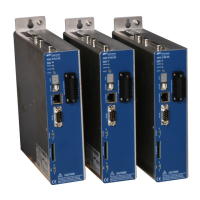
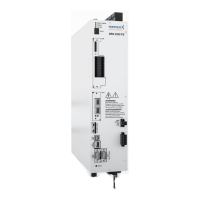
Servo drives ARS 2100 SE
Standard Edition
Manual
Metronix Meßgeräte und Elektronik GmbH Phone: +49-(0)531-8668-0
Kocherstraße 3 Telefax: +49-(0)531-8668-555
38120 Braunschweig E-Mail: vertrieb@metronix.de
Germany http://www.metronix.de

Table of Contents

Question and Answer IconNeed help?

Do you have a question about the Metronix ARS 2100 SE and is the answer not in the manual?

Summary

SAFETY NOTES FOR ELECTRICAL DRIVES AND CONTROLLERS

2.2 General notes

General safety guidelines for operation, personnel, and compliance.

2.3 Danger resulting from misuse

Highlights hazards from electrical, heat, and movement risks.

2.4 Safety notes

Covers general safety, assembly, maintenance, electrical, hot parts, and handling.

TECHNICAL DATA

4.4 Motor connection [X6]

Details technical data for motor connection, including current derating.

4.5 Motor feedback connection [X2 A] and [X2 B]

Covers connections for resolver and encoder feedback systems.

FUNCTION OVERVIEW

5.3 Positioning mode

Overview of positioning capabilities, modes, and parameterization.

FUNCTIONAL SAFETY TECHNOLOGY

6.1 General

Introduction to functional safety and the STO feature.

6.2 Description of the integrated safety function STO

Explains the Safe Torque Off (STO) function and its purpose.

MECHANICAL INSTALLATION

ELECTRICAL INSTALLATION

8.3 Connection: Power supply [X9]

Details connections for power supply, including device, counterplug, and pin assignments.

8.4 Connection: Motor [X6]

Details connections for the motor, including device, counterplug, and pin assignments.

8.14 Notes on safe and EMC-compliant installation

Guidelines for safe and EMC-compliant installation and cabling.

INITIAL OPERATION

10.3 Connecting the motor

Step-by-step guide for connecting the motor to the drive.

10.4 Connecting the servo drive ARS 2100 SE to the power supply

Steps for connecting the drive to the power supply unit.

SERVICE FUNCTIONS AND ERROR MESSAGES

11.2 Operating mode and error messages

Explains operating modes and error messages on the seven-segment display.

Summary

SAFETY NOTES FOR ELECTRICAL DRIVES AND CONTROLLERS

2.2 General notes

General safety guidelines for operation, personnel, and compliance.

2.3 Danger resulting from misuse

Highlights hazards from electrical, heat, and movement risks.

2.4 Safety notes

Covers general safety, assembly, maintenance, electrical, hot parts, and handling.

TECHNICAL DATA

4.4 Motor connection [X6]

Details technical data for motor connection, including current derating.

4.5 Motor feedback connection [X2 A] and [X2 B]

Covers connections for resolver and encoder feedback systems.

FUNCTION OVERVIEW

5.3 Positioning mode

Overview of positioning capabilities, modes, and parameterization.

FUNCTIONAL SAFETY TECHNOLOGY

6.1 General

Introduction to functional safety and the STO feature.

6.2 Description of the integrated safety function STO

Explains the Safe Torque Off (STO) function and its purpose.

MECHANICAL INSTALLATION

ELECTRICAL INSTALLATION

8.3 Connection: Power supply [X9]

Details connections for power supply, including device, counterplug, and pin assignments.

8.4 Connection: Motor [X6]

Details connections for the motor, including device, counterplug, and pin assignments.

8.14 Notes on safe and EMC-compliant installation

Guidelines for safe and EMC-compliant installation and cabling.

INITIAL OPERATION

10.3 Connecting the motor

Step-by-step guide for connecting the motor to the drive.

10.4 Connecting the servo drive ARS 2100 SE to the power supply

Steps for connecting the drive to the power supply unit.

SERVICE FUNCTIONS AND ERROR MESSAGES

11.2 Operating mode and error messages

Explains operating modes and error messages on the seven-segment display.

Metronix ARS 2100 SE Specifications

General IconGeneral
Output Frequency0 - 599 Hz
Control ModePosition, Velocity, Torque
CommunicationCANopen
Protection FeaturesOvervoltage, Overcurrent, Overtemperature
Communication InterfaceCANopen

Related product manuals