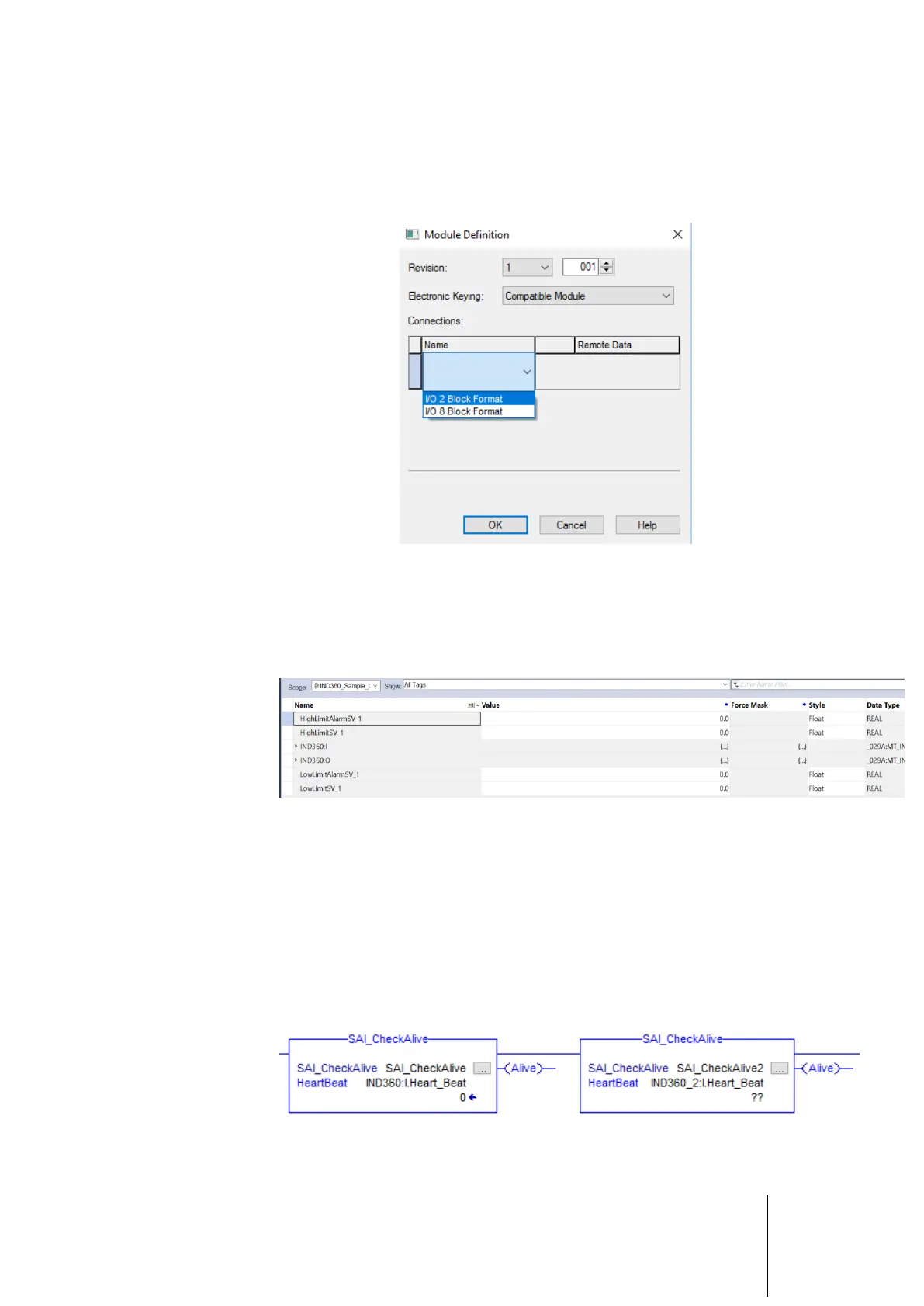
4. Select I/O 2 Block Format to make the sample code function with minimal
changes. Select 8 Block if it is necessary to receive multiple pieces of
cyclic data simultaneously. For example, if it is required to read the gross
weight, net weight and target weight at one time, 8 Block can easily
accomplish this.
Figure 3-4: Module Definition Configuration
5. Copy the controller tags relating to the sample code and paste in the same
location in order to create a duplicate set of tags. Please note that since all
tags end with "_1", Studio 5000 will create duplicates that all end with
"_2" instead.
Figure 3-5: Copy/Paste Tags to Create Duplicates
6. Copy and paste the Add-On Instructions and configure the instance name
along with the input and output parameters. Each device must correspond
to a unique instance of the AOI. As shown in the figure below, both devices
call the AOI SAI_CheckAlive, but the corresponding instances are
SAI_CheckAlive and SAI_CheckAlive_1. Notice that the Heartbeat parameter
is also configured with different devices for these two instances. Refer to
section 2, Add-On Instructions (AOI), for information on configuring
parameters for a particular AOI. Make sure that all tags for the second
device for instance now end in "_2" as opposed to "_1" for the first device.
Figure 3-6: Two instances of the SAI_CheckAlive AOI for two IND360s
7. Repeat steps 1 to 6 until all devices are configured.



 To Next Page