MFJ-495 Memory Keyer Instruction Manual
12 © 2001-2009 MFJ Enterprises, Inc.
current Farnsworth speed. Also, Farnsworth speed cannot be enabled when the overall speed is at its
maximum of 99 WPM.
CCW Weight
The CCW Weight menu is used to set the code weight at the counter-clockwise (CCW) position of the
Speed control. There are three numbers on line two of the display. The first number enclosed within “[“
and “]” is the CCW weight; the second number is the weight corresponding to the current position of the
Speed control; and the last number is the CW weight. Constant weighting is achieved when all three
numbers are the same.
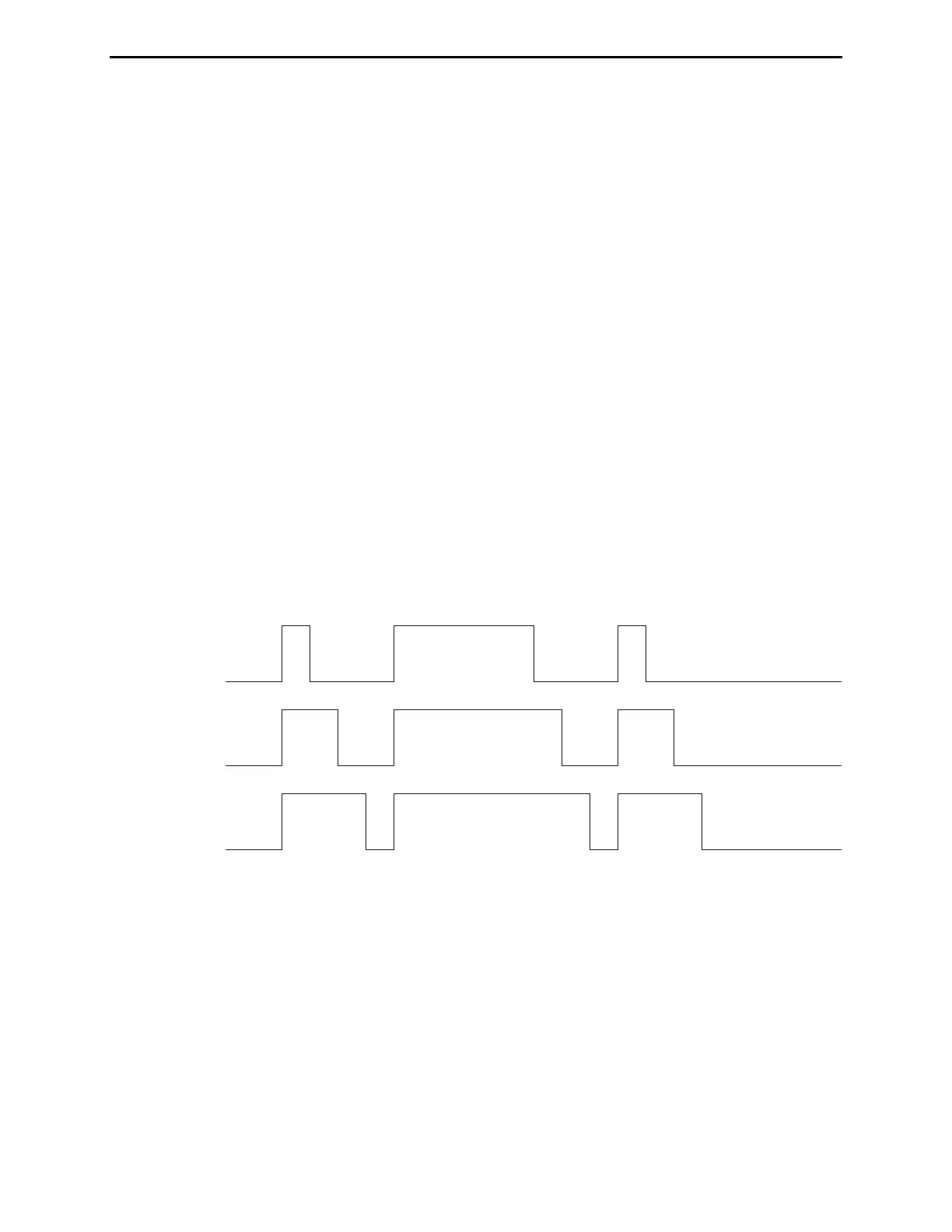
Weight is the duty cycle of a continuous string of dots, where 50% for perfect code. A higher weight
produces a heavier sound and a lower weight causes characters to sound lighter. Weight can be set to
remain constant and independent of speed, or it can be set to vary with the code speed.
CW Weight
The CW Weight menu is used to set the code weight at the clockwise (CW) position of the Speed control.
There are three numbers on line two of the display. The first number is the CCW weight; the second
number is the weight corresponding to the current position of the Speed control; and the last number
enclosed within “[“ and “]” is the CW weight. Constant weighting is achieved when all three numbers are
the same.
Weight is the duty cycle of a continuous string of dots, where 50% for perfect code. A higher weight
produces a heavier sound and a lower weight causes characters to sound lighter. Weight can be set to
remain constant and independent of speed, or it can be set to vary with the code speed.
50% Weight
25% Weight
75% Weight
Figure 6. Code Weight.
Character Space
The Character Space menu is used to increase the character space (normally three units) up to 12 units
long. There are two numbers on line two of the display; the number enclosed within “[“ and “]” is the
character spacing and the other number is the word spacing. Note the character space is always at least
four units shorter than the word space. So you might have to increase the word spacing before adjusting
the character space.
Word Space
The Word Space menu is used to increase the word space (normally seven units) up to 16 units long.
There are two numbers on line two of the display; the number enclosed within “[“ and “]” is the word


 To Next Page