MFJ-495 Memory Keyer Instruction Manual
© 2001-2009 MFJ Enterprises, Inc. 9
The Menus
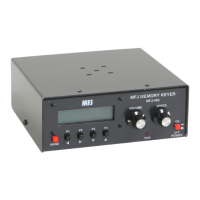
Main Menus
The main menus allow you access to the commonly used functions. There are seven main menus
arranged in a “wrap-around” structure. When power on, keyer operation starts with the main menu that
was last used. The first two main menus (MSG1-MSG4 and MSG5-MSG8) let you play and save
messages. The next main menu allows you to enter command mode and tune modes directly as well as
decrement the serial number. The last four main menus give you easier access to the frequently adjusted
settings and display their current values. For the first three main menus, the four function buttons take on
different meanings and perform the operations displayed directly above each button. Within each main
menu, press the Menu button briefly to view the next main menu. Press and hold the Menu button for
two seconds to enter the setup menus (see below).
MSG1-MSG4 Buttons
This is the first message menu that consists of four messages buttons, where the digit (1-4) is the message
number and the letter (A-D) is the current memory bank. For example, [1A] is message number 1 of bank
A. To play a message, press and release the corresponding message button. To save a message, press and
hold a message button for two seconds until the keyer responds with “GO” (dah-dah-dit dah-dah-dah).
You may then key in a message using the paddle, keyboard or terminal. Refer to “The Memory” section
on page 36 for explanation of the MFJ-495’s message memory.
MSG5-MSG8 Buttons
This is the second message menu that consists of another four messages buttons, where the digit (5-8) is
the message number and the letter (A-D) is the current memory bank. For example, [8D] is message
number 8 of bank D. To play a message, press and release the corresponding message button. To save a
message, press and hold a message button for two seconds until the keyer responds with “GO” (dah-dah-
dit dah-dah-dah). You may then key in a message using the paddle, keyboard or terminal. Refer to “The
Memory” section on page 36 for explanation of the MFJ-495’s message memory.
Command [COM] Button
Use to enter the command mode and the keyer will respond with “CO” (dah-di-dah-dit dah-dah-dah).
When a valid command is entered, the keyer will respond with “R” (di-dah-dit) when appropriate. If an
invalid command is entered, it will respond with an error character (di-di-di-di-di-di-di-dit). See the “The
Paddle” section on page 16 for more details on setup commands.
Decrement [DEC] Button
Use to decrement the serial number by one, effectively canceling the automatic increment applied when
last played from a message. The decrement function accommodates re-sending the last serial number, as
might be needed when a repeat of a contest exchange is requested, or canceling the exchange with a
station that proved to be a “dupe”. The unit will echo a "D" (dah-di-dit) for every number that is
decrement. Decrement serial number 0001 rolls over to 9999, because the number 0000 is not used.
Carrier Tune [CXT] Button
Use to engage the carrier tune mode. The keyer will key continuously to tune your station. Press any
button, paddle or key to exit.
Pulse Tune [PXT] Button
Use to engage the pulse tune mode. The keyer will send a continuous string of pulses to tune your
station. The rate (speed of 50 to 99 WPM) and the duty cycle (weight of 1% to 35%) of the pulses can be


 To Next Page