MFJ-784B Instruction Manual
Operation Error! Main Document Only.-5
3. You should notice the signal becomes clearer (less noise and QRM) as
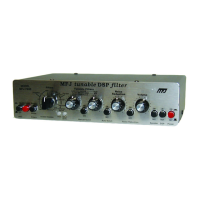
the bandwidth (right Tunable Filters control) is moved clockwise and the
center frequency (left Tunable Filters control) is re-adjusted. At some
point decreasing the bandwidth will make the signal less intelligible. If this
happens turn the right Tunable Filters control counter-clockwise.
4. Place the DSP button in the "out" position. Adjust the receiver until you
find a frequency that has CW or any other tone interference audible with
a SSB or voice signal.
5. Place the DSP button in the "in" position. Lock the Auto Notch button "in."
The interference should disappear or be greatly reduced.
Note:
The automatic notch will not recognize interfering tones that vary
rapidly in frequency or amplitude. The filter must ignore rapid
amplitude and frequency changes to avoid nulling or distorting voices.
If the automatic notch distorts voice reduce the radio volume slightly
or select a less aggressive internal auto notch jumper.
6. Experiment with different filter adjustments and functions under various
conditions to become familiar with the various controls.


 To Next Page