MFJ-784B Instruction Manual
Operation Error! Main Document Only.-13
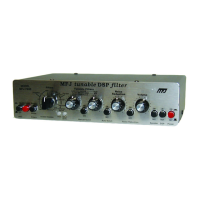
DSP Button
While "in" this button causes the DSP to digitally process the signal. While
"out" this button prevents the DSP from doing any digital processing. It
operates in any position of the Memory button.
Non-processed audio is still available at all the audio outputs when this button
is in the "out" position. The only change is the audio output voltage at all the
jacks, including the Filtered Audio Out jack, is no longer held constant. The
Volume control still functions with the headphones and speaker while the DSP
button is "out."
Power Button
This button controls the power to the DSP. It operates in any position of the
Memory button.
When the Power button is off (out), this switch connects all the input ports to
the speaker and headphones outputs. The Filtered Audio Out jack and the To
TNC port become "dead." See the block diagram on page 1-4.
Do not use this switch to bypass the DSP. Use the DSP button. You should
only use this switch to turn the DSP off after you are completely finished using
the DSP.


 To Next Page