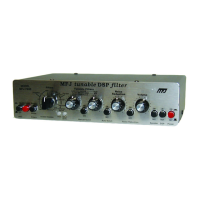
MFJ-784B Instruction Manual
iv
Before Reading This Manual
This manual is divided into two parts. The first part, called Fast Start, is meant
for people who need to know nothing except how to minimally install the unit
and operate it on CW and SSB. The second part, Chapters 1 to 5, is meant
for operators who want or need more information. Detailed description of the
unit and its operation are described in these chapters.
The first chapter is an introduction to DSP and the MFJ-784B. The second
chapter tells about the back panel and how to install the unit with a radio or
TNC. Chapter 3 tells how to operate the unit in CW and SSB and describes
the various controls. Advanced Features, Chapter 4, tells how to use the
special features of the MFJ-784B. The last chapter is a description of the
digital filters used in this unit.
The appendix has two important sections, troubleshooting and technical
assistance. There is also a self-test for the unit's digital circuitry and controls.
Refer to these sections if you should have any problem with your new MFJ-
784B.
Important:
Please read this section to become familiar with the terms
and mechanics used in this manual.
Whenever the manual text discusses a control, jack, or level adjustment, the
name will appear in Bold.
Example: Plug a headphone into the Headphones Out jack for ...
The Memory/Normal Filters button will be referred to simply as the Memory
button throughout this manual.
Definitions for the abbreviations used in this manual are listed below:
LR = Low Reject (Cutoff Frequency)
HR = High Reject (Cutoff Frequency)
f1 = Center or Notch Frequency #1
f2 = Center or Notch Frequency #2
fc = Center Frequency
BW = Bandwidth
FIR = Finite Impulse Response
IIR = Infinite Impulse Response
LMS = Least Mean Square
WPM = Words Per Minute


 To Next Page