7372
INSTRUMENTS AND CONTROLS INSTRUMENTS AND CONTROLS
operated in two ways: short press (<2S)
and long press (<2S).
Trip / Average Speed
The first trip mileage within the recent driving
distance are shown.
Interface - 1
Interface - 2
Tyre Pressure Indication
The Tyre Pressure Monitor System (TPMS)
displays the current pressure and temperature
of the four tyres respectively.
When the system detects tyre pressure low
or high, it gives a prompt, asking you to adjust
the tyre pressure in time. For the standard
tyre pressures, please refer to “Technical
Data”.
If the tyre temperature value becomes
extremely great, for example, when you are
driving down a slope and applies the brake
frequently, please stop the vehicle to cool
down the tyres. If the shown tyre temperature
value becomes abnormal, please contact the
Service Center as soon as possible for
inspection and repair.
Please keep the tyre pressure within the
reference range, otherwise the tyre
service life and vehicle controllability can
be reduced, or flat tyre can happen which
is very dangerous. Please do not continue
driving if the tyre temperature is
extremely high. Once overheated, the
brake may fail to provide sufficient
braking force and the tyre may become
flat. Please stop the vehicle as soon as
possible to cool down the tyre and carry
out inspection.
Note
Trip Computer Information Option
Choose this option to indicate driving
information such as odometer, current vehicle
speed, driving time, fuel range, tyre pressure,
etc. Pull the up/down selection button to
switch among the following interfaces:
Interface - 3
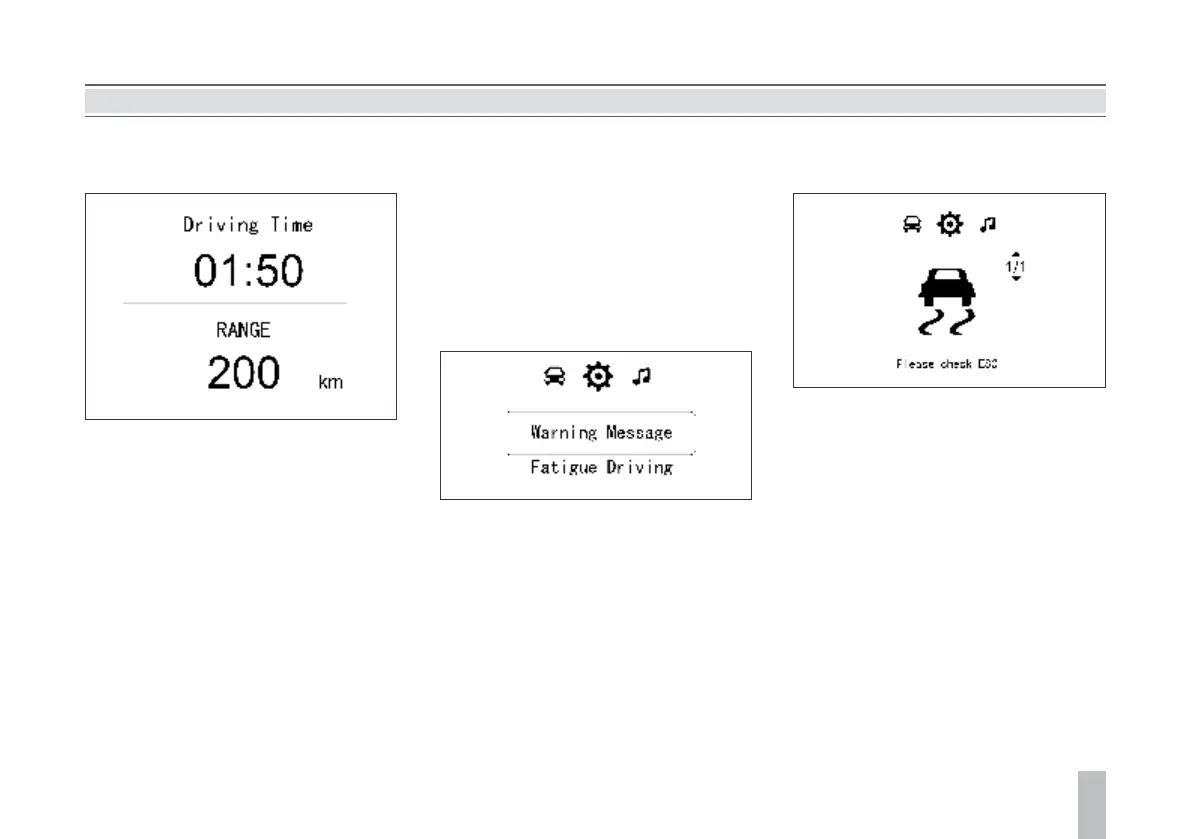
Driving Time / Fuel Range
Calculation of the driving time starts as the
vehicle starts running and ends as the vehicle
stops. The indication can be 23 hours plus 59
minutes at maximum.
After the driving time reaches the maximum
record value, or when the battery gets
disconnected, or the engine flameout
condition lasts for 2 hours, the driving time
will clear automatically and calculation starts
anew.
The displayed fuel range is calculated based on
the current fuel consumption and the fuel
amount left in the fuel tank. It changes as the
driving condition changes. When the fuel level
low warning indicator illuminates, “fuel
Vehicle Information Setup Option
This option allows access to fault information
inquiry, overspeed warning setup, fatigue
driving setup and display language setup.
Pull the up/down selection button and then
press “OK” to enter the interface under this
option.
The control button on the steering wheel will
be shielded as a warning message pops out on
the display screen. The control button will give
no response even though it is pressed until the
warning message disappears.
insufficient, add fuel” will appear in the fuel
range indication area. If you long press “OK”
on the current interface, the driving time will
be cleared, while the fuel range cannot be
cleared.
Interface -1
Fault Information Inquiry
Press “OK” and you will enter the fault
information inquiry interface. If no fault
information is shown, a prompt saying no fault
information exists will appear on the LCD; if
any fault information is shown, you can check
it one by one by pushing the up/down selection
button.
Press “OK” to return to the parent directory.
If any fault exists at the time of vehicle start, a
fault warning will appear and last for 5s. Please
contact the Service Center for inspection and
repair.
When the icon under this option changes to
what is shown above, it indicates a vehicle fault
to which you should keep alert. Please contact
the Service Center in time for inspection and
repair so as to eliminate the safety hazard.



 To Next Page