Device overview
18
No. Name Description
2 Ventilation outlet Ventilates the device.
3 Power inlet Connects to the power cord.
4 Ports Used for cable connections.
5
Pure water
container port
Connects to the pure water container.
6
Optics
maintenance door
Used by the technical support to maintain
the optical system.
7
Maintenance door
button
Used for opening the door after unlocking.
Ports
1
3
5
6
7
2
4
SBC-LAN
BCS-L
A
N
SBC-USB 3.0
VGA
BCS-Fiber
SBC-USB 3.0
BCS-USB 3.0
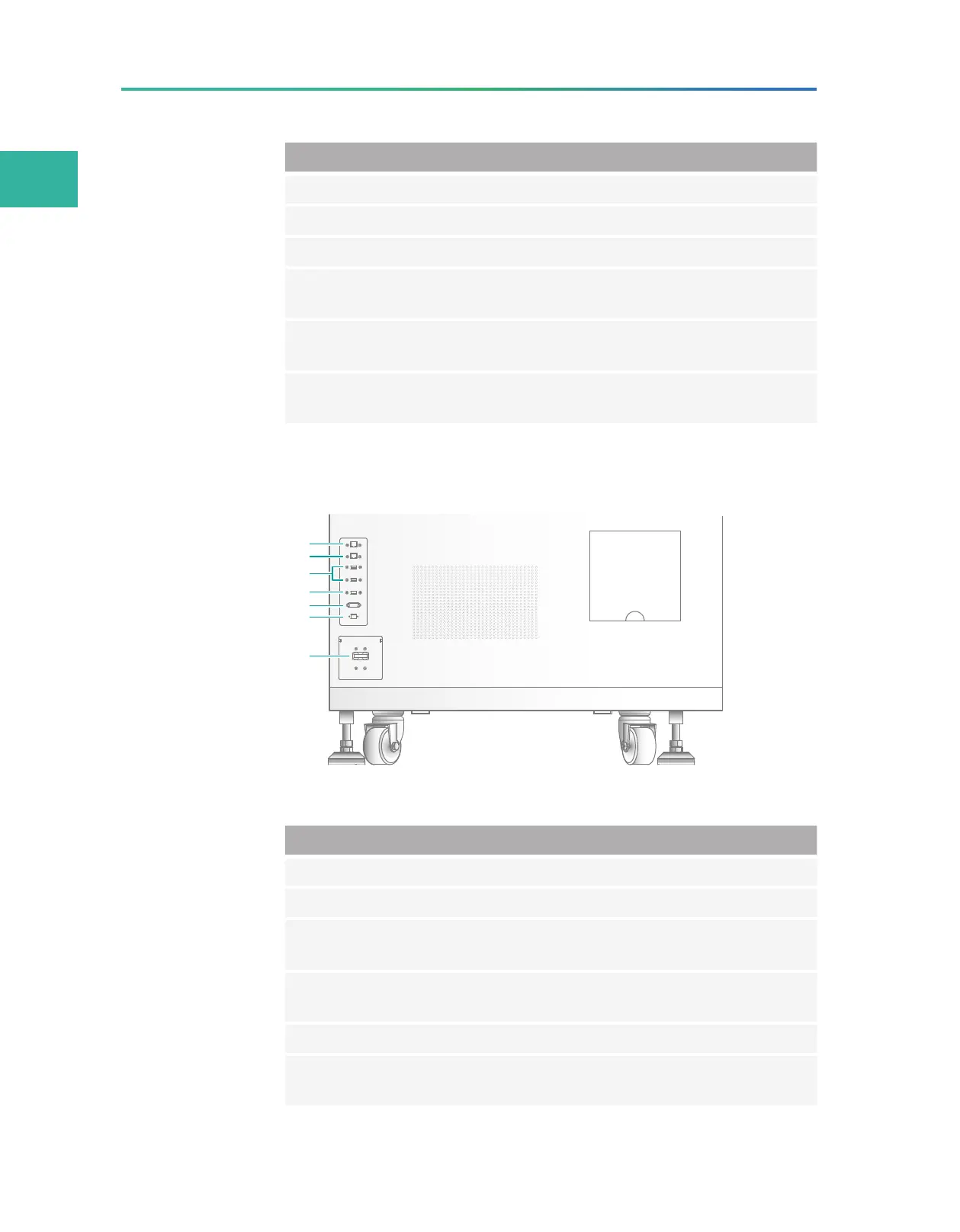
Figure 8 Ports
No. Name Description
1 Network port 1 Connects the IPC to the network.
2 Network port 2 Connects the server to the network.
3 USB 3.0 port 1
Connects USB devices such as the keyboard and
mouse to the IPC.
4 USB 3.0 port 2
Connects USB devices such as the keyboard and
mouse to the server.
5 VGA port Connects to the LCD screen for adjustment.
6
Optical fiber
port
10 Gigabit network port.



 To Next Page