68D5301
9
Operation
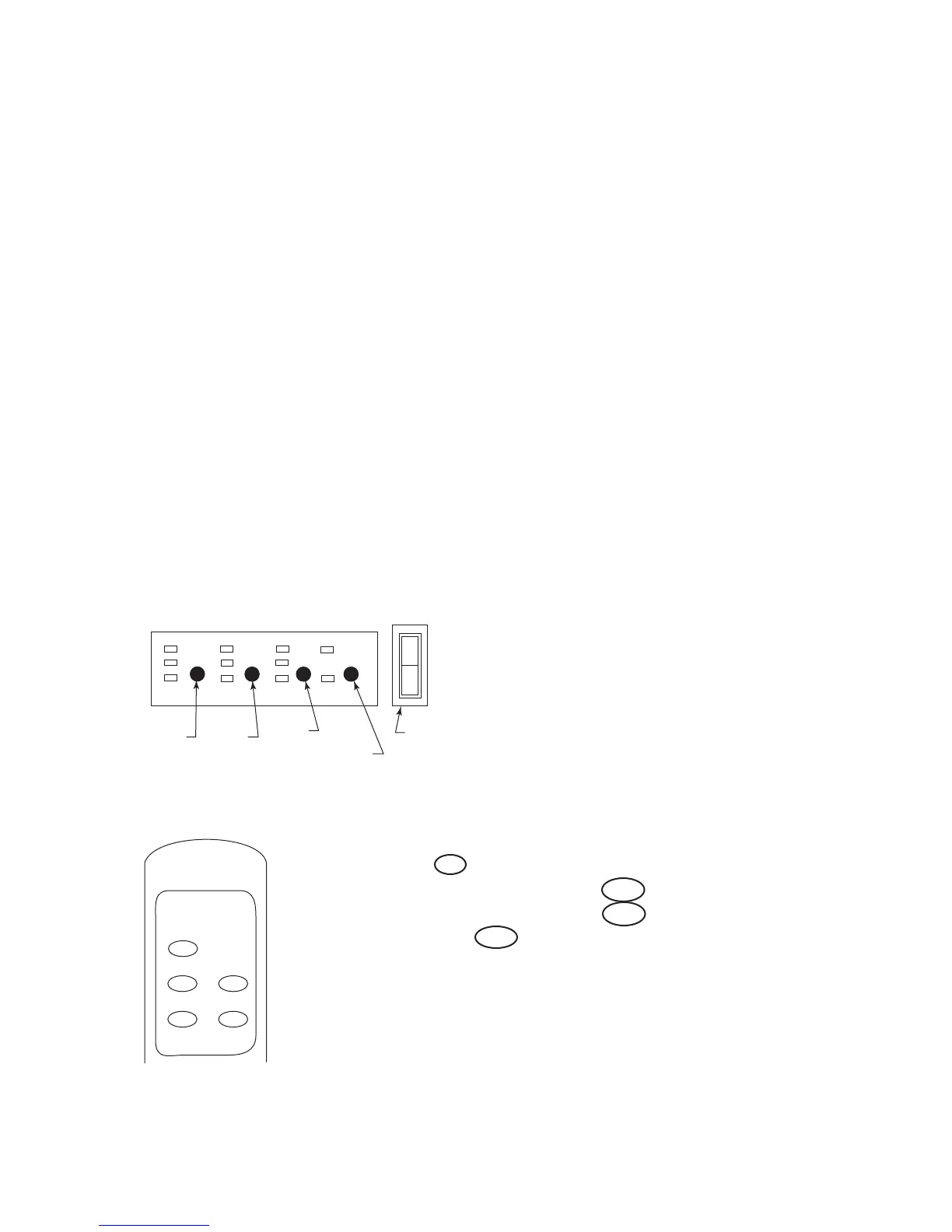
The controls are located behind the hinged control panel door. If using heater, control
panel door will be hot during and immediately after operation. Open door by pressing
on right side. A spring magnet will push door forward. Pull door down to open.
1. Plug in electric replace or if hard-wired to 40V AC, turn switch on.
. Turn on lighted power switch. Figure 6
3. Adjust Flame/Ember/Backlight/Heater to desired settings using the control pad on
replace (Figure 6) or remote control. Figure 7. Figure 8 shows replace settings
available. Default settings are circled. Press control pad or remote control buttons
once and release to adjust settings.
NOTE: When on, ember bed will lighten and darken automatically to simulate real
embers.
The heater is pre-set to the following temperatures.
• High will shut off when room reaches approximately 86°F (30°C).
• Medium will shut off when room reaches approximately 79°F (6°C).
• Low will shut off when room reaches approximately 7°F (°C).
NOTE: Fan on heater will continue to run for 5-7 seconds after heater has been
turned off.
4. When using remote control, aim remote at sensor located in center of unit just
above the log set. IMPORTANT: This remote control must remain within 0 feet (6
m) of replace to be effective.
5. When power switch is turned off, replace settings go back to default. Figure 8
Heater Flame
Ember
Backlight
FP2391
controls
Power
Heater Control
Flame
Control
Ember
Control
Backlight Control
Lighted Power
Switch
FP391
Figure 6
POWER
FLAME
EMBER
BACKLIGHT
HEATER
FP2392
Remote control
Figure 7
HEATER Off Low Medium High
FLAME Off Low Medium High
EMBER Off Low Medium High
BACKLIGHT Off Low High
Fireplace Settings
(Default settings are circled)
Figure 8



 To Next Page