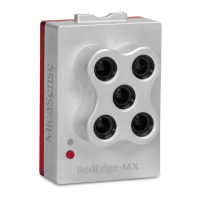
4. Connect the provided Dual Camera harness to the “PWR/TRG” and “DLS” ports on
both cameras. The RedEdge-M/MX (Red camera) should be the Main camera in the
configuration. Connect the Main cables and connectors to the RedEdge-MX and the
Auxiliary cables and connectors to the RedEdge-MX Blue camera.
Connection between OEM Dual Camera Kit Mount, RedEdge-M/MX and RedEdge-MX
Blue
5. Connect the 8-pin JST connector on the Dual Camera cable to the 8-pin JST connector
on the circuit board.
6. Connect the 2-pin DF-13 cable to the circuit board. Use this cable to power the Dual
Camera Kit by attaching to a power source. RedEdge-MX requires 5.0 volts DC for
operation, with a maximum operating voltage of 15.8V. The supply must be able to
provide 10W (2A@5V) peak. RedEdge-MX powering guidelines are outlined in the
“How do I power the RedEdge-M/MX” article.
Circuit board diagram and pinout for power
Rev 01 - March 2020
PAGE 7



 To Next Page