7. Double-sided VHB tape is included in the kit as an option to help secure the circuit
board in place on a custom integration.
Attaching the Dual Camera Kit and DLS 2 to the drone
This kit is intended as an aid for custom integrations. It provides power, communication, and
ensures that the cameras are properly spaced for accurate data collection. It does NOT
provide a solution to attach the mount to the drone itself nor does it provide a DLS2 mounting
solution.
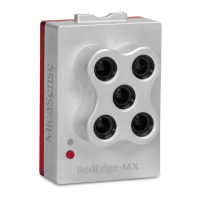
1. As noted above, this kit provides a mount to hold both RedEdge-M/MX and
RedEdge-MX Blue cameras and to allow communication between all components, but
the means for attaching the mount to the drone is up to the customer. Included in the
kit is a 2-prong Go-Pro mount adapter, if you are looking to integrate with a Go-Pro
mount.
2. Use the provided 6-pin 60cm cable to connect the DLS2 and the camera sensors. Plug
the DLS 2 cable from the DLS 2 port to the 6-pin JST port on the circuit board.
3. When attached, the cameras should be tilted forward slightly to compensate for the tilt
of the aircraft while flying.
Warning: Failure to properly secure loose wires may lead to interference with the
aircraft propellers. This may damage the drone, RedEdge-MX/Altum, or both.
Rev 01 - March 2020
PAGE 8



 To Next Page