Copyright © 2009-2010 Micca, LLC. All rights reserved.
XII. Firmware Update
As features and improvements are added to the Micca Slim, new firmware
releases are made available to owners. These firmware updates can be
downloaded from Micca’s website and installed on an as needed basis. Please
follow these instructions below to update the firmware:
1. Decompress the firmware file and locate the .img file.
2. Copy the .img file onto a USB memory stick. Insert the USB memory stick
into the Micca Slim player.
3. Turn on the Micca Slim. Select the [USB/C] icon and press <OK> on the
remote control to bring up the [Select Media] menu.
4. From the [Select Media] menu, highlight [File] and press <OK> on the
remote control.
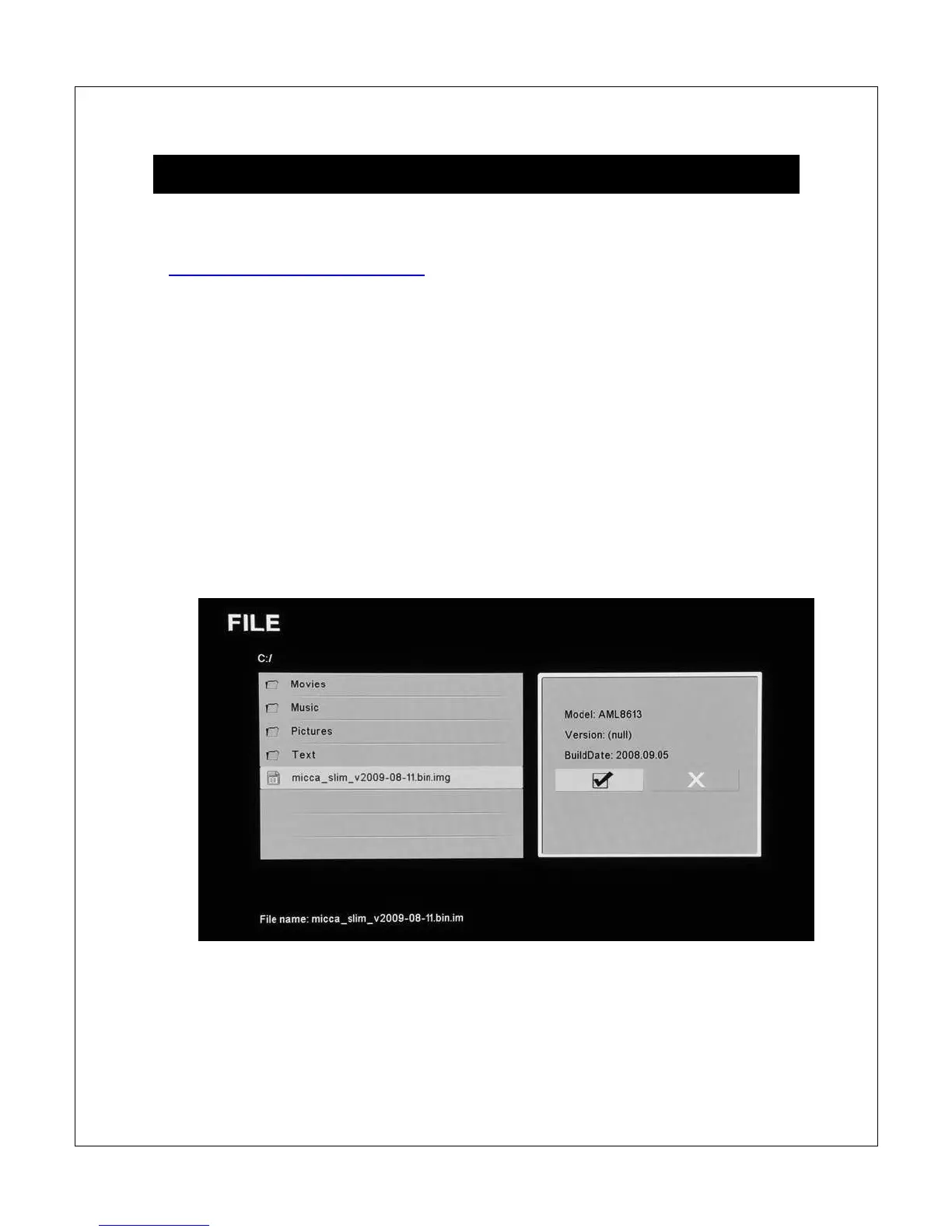
5. Locate the .img file, highlight it, and press <OK> on the remote control.
6. Highlight the [
]
icon, and press <OK> on the remote to confirm update.
7. The update process will start and progress will be shown until it is
complete. The player will restart automatically at end of update. Do not



 To Next Page