Copyright © 2009-2022 Micca. All rights reserved. Page | 10
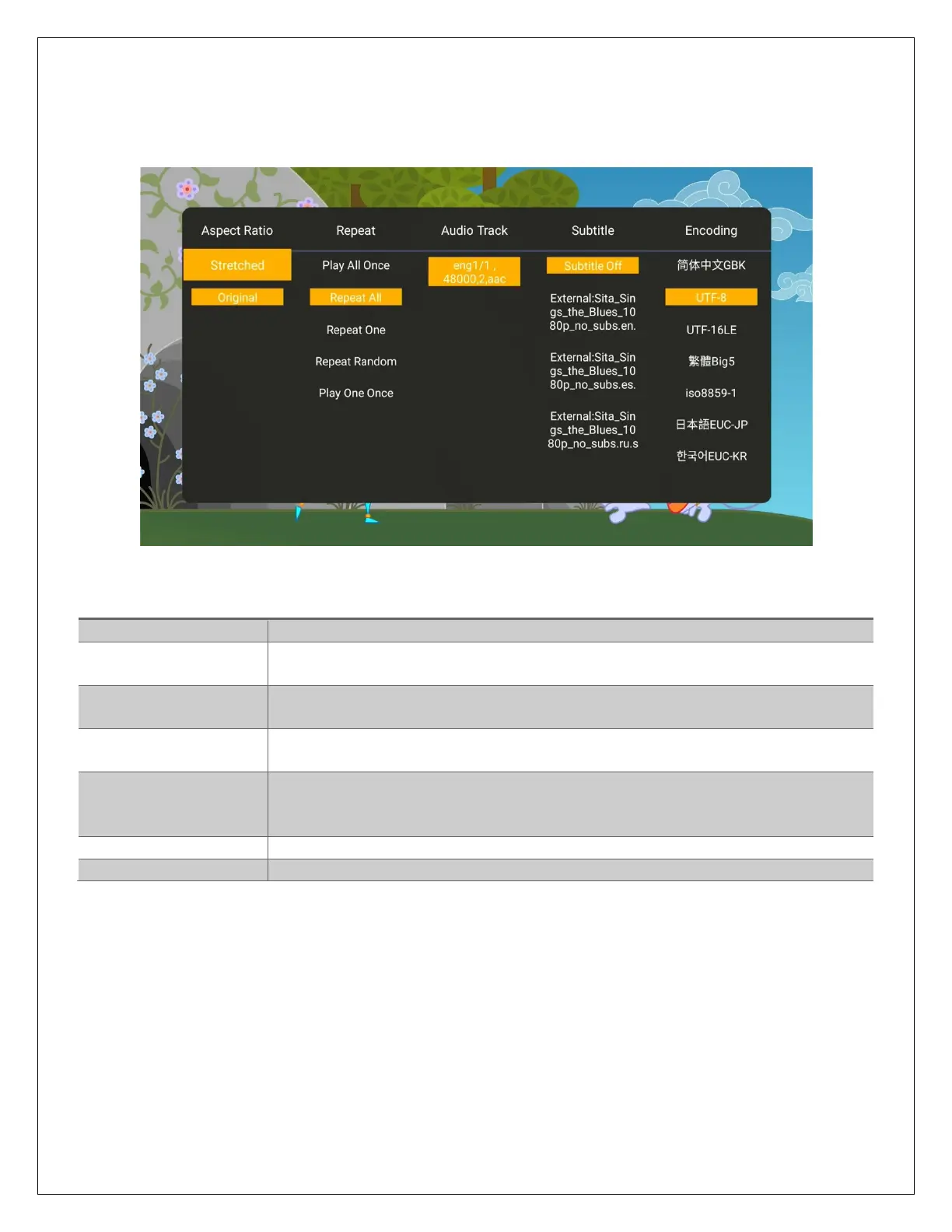
5.1.3 Video Settings Menu
During video playback, additional controls are available through the movie settings menu. To
access the settings menu, press the MENU button while a video is playing.
The available settings have the following functionality:
Choose the video aspect ratio: Stretched, Original.
Select to set repeat option when viewing videos: Play All Once, Repeat
All, Repeat One, Repeat Random, Play One Once.
Displays a list of available audio tracks for the current video. The
current audio track is highlighted in yellow.
Displays a list of available subtitles for the current video. The current
subtitle is highlighted in yellow. Select Off to turn subtitle off.
Most subtitles will display correctly with Unicode (UTF8), but if a
subtitle does not display correctly, try one of the other encoding
settings.
Changes the size of the subtitle text.
The color of the subtitle display can be changed for better visibility.



 To Next Page