5
ConnecngAudioCables
To connect the Home RTX to other audio devices to receive or transmit
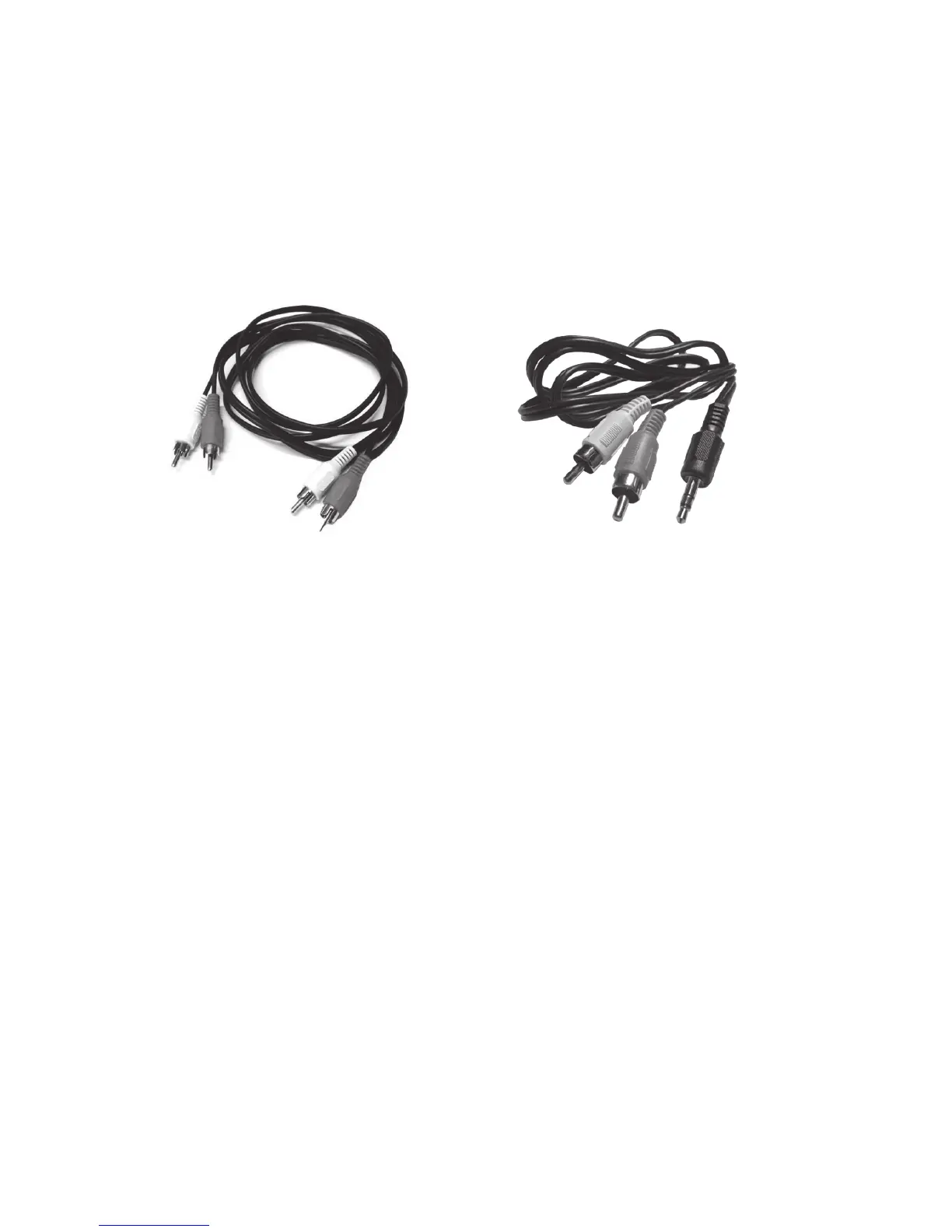
audio, Miccus has included 2 audio cable opons to select from
dependent on your audio needs. You will only need 1 audio cable to
connect the audio.
a. 3.5mm (mini-plug) male to RCA (red and white) male
b. RCA (red and white) male to RCA (red and white) male
To transmit in TX (transmit) mode, the Home RTX must be connected to
an audio source with audio to transmit such as a computer, tablet,
phone, or stereo system, etc.
1. Determine which cable is needed by your audio source (your PC,
stereo, etc.).
2. Connect the cable to the auxiliary output or headphone jack on
your audio source.
3. Connect the other end to the back of the Home RTX to the “TX
Audio In”: either RCA(red/white) or 3.5mm “Line In”.
To receive in RX (receive) mode, the Home RTX must be connected
to a stereo or powered speaker system to receive audio on from a
transming device such as a phone or table.
1. Determine which cable is needed by your stereo or powered
speaker systems’ auxiliary input.
2. Connect the appropriate cable to the auxiliary input
3. Connect the other end to the back of the Home RTX to the “RX
Audio Out”: either RCA (red/white) or 3.5mm “Line Out”.



 To Next Page