www.md-best.com
All Rights Reserved
Nabi User Manual
Procedure for Microvolume Sample
1. Open the Head of the instrument.
2. Make sure to insert the Cuvette Stick in the Cuvette Port.
3. Gently, pipette the blank sample on the Lower Pedestal, and close the Head.
4. Touch the Blank button on the measurement page to measure
and set the blank value for the measurement.
5. When the blank value is set, open the Head and wipe the sample.
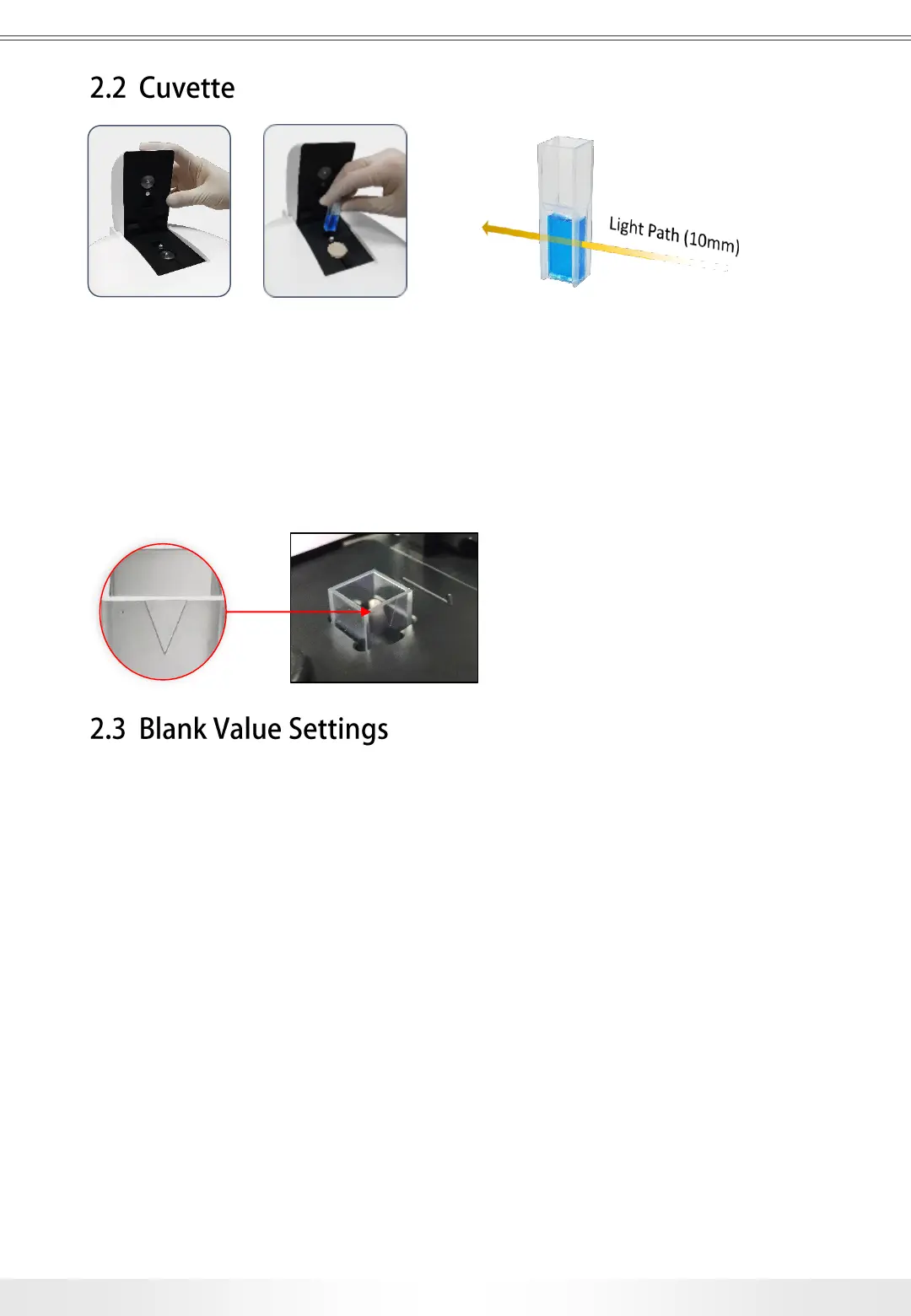
Cuvette Measurements include the use of the Cuvette Port. The target sample
should be prepared in a universal cuvette, and the cuvette should be gently
inserted in the Cuvette Port for the measurement. The Pedestal Cover should
be covered during the cuvette measurement. The direction of the light
pathway during the measurement is indicated on the upper side of the port.
The minimum volume of the sample is 1mℓ.
Procedure for Cuvette Sample
1. Prepare the blank sample in a universal cuvette. (Minimum Volume: 1mℓ)
2. Make sure to cover the Lower Pedestal with the Pedestal Cover.
3. Insert the cuvette in the Cuvette Port.
4. Touch Blank button to measure and set the blank value for the measurement.
5. When the blank value is set, open the Head and remove the cuvette.
9
2. Basic Use
Make sure the V shape side is facing
the same direction as the arrow on top.


 To Next Page