www.md-best.com
All Rights Reserved
Nabi User Manual
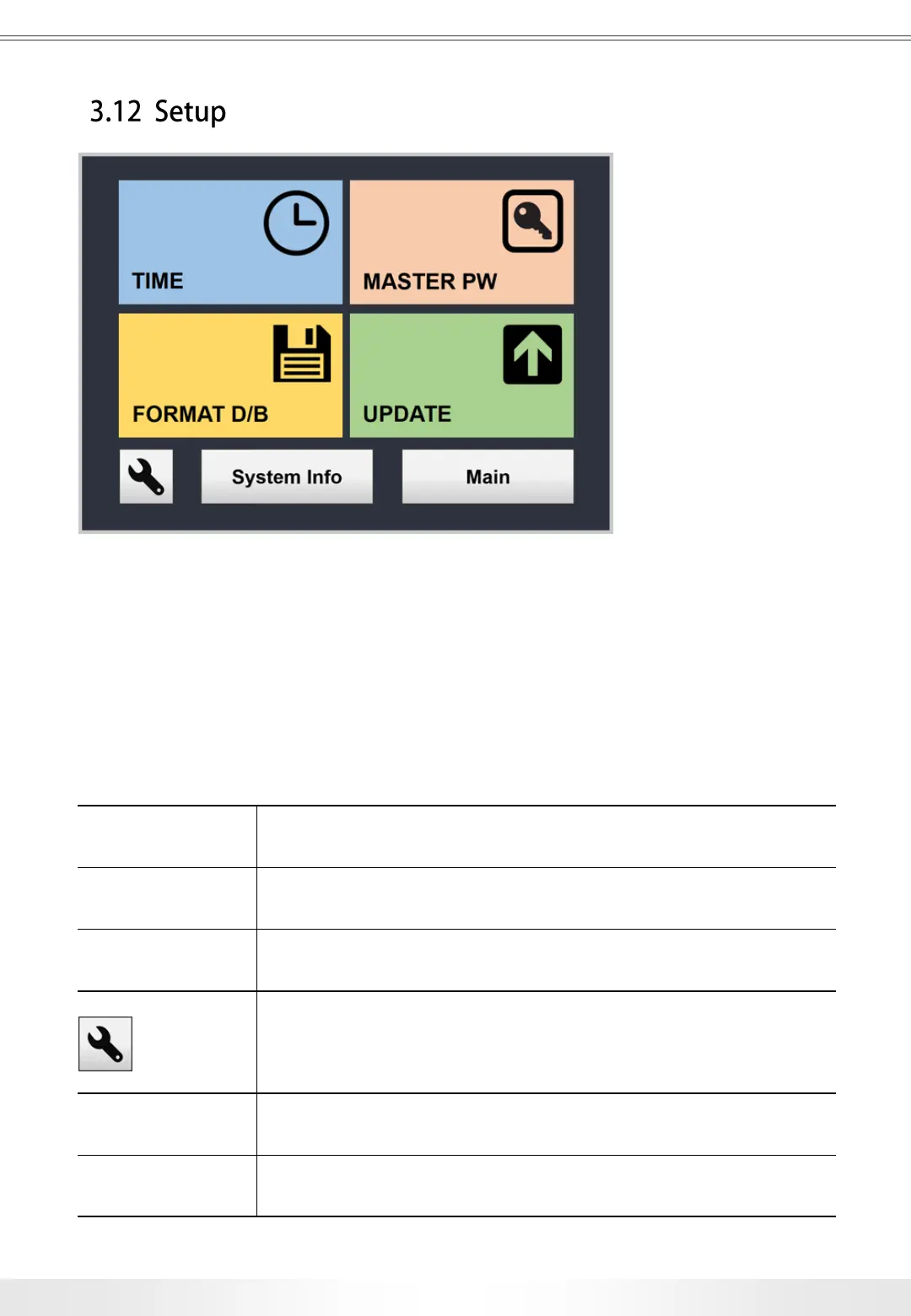
Setup page is accessible from the Main page by touching the Setup button.
The users can set the time, update the interface, change Master Password, check
System Information, and Calibrate the instrument. Setup is not recommended for
users to access the page and change features without manufacturer’s supervision.
Time Setup Changes the time in the system.
Update Updates the interface.
Format Database
Deletes all the data in the system; however, the accounts will
remain.
Calibration
Adjusts the setting of the system.
DO NOT CHANGE THE SETTINGS without manufacturer’s
supervision.
Master PW Changes the Master PW.
System Info Shows the system information.
Setup Panel
3. User Interface
31


 To Next Page