www.md-best.com
All Rights Reserved
Nabi User Manual
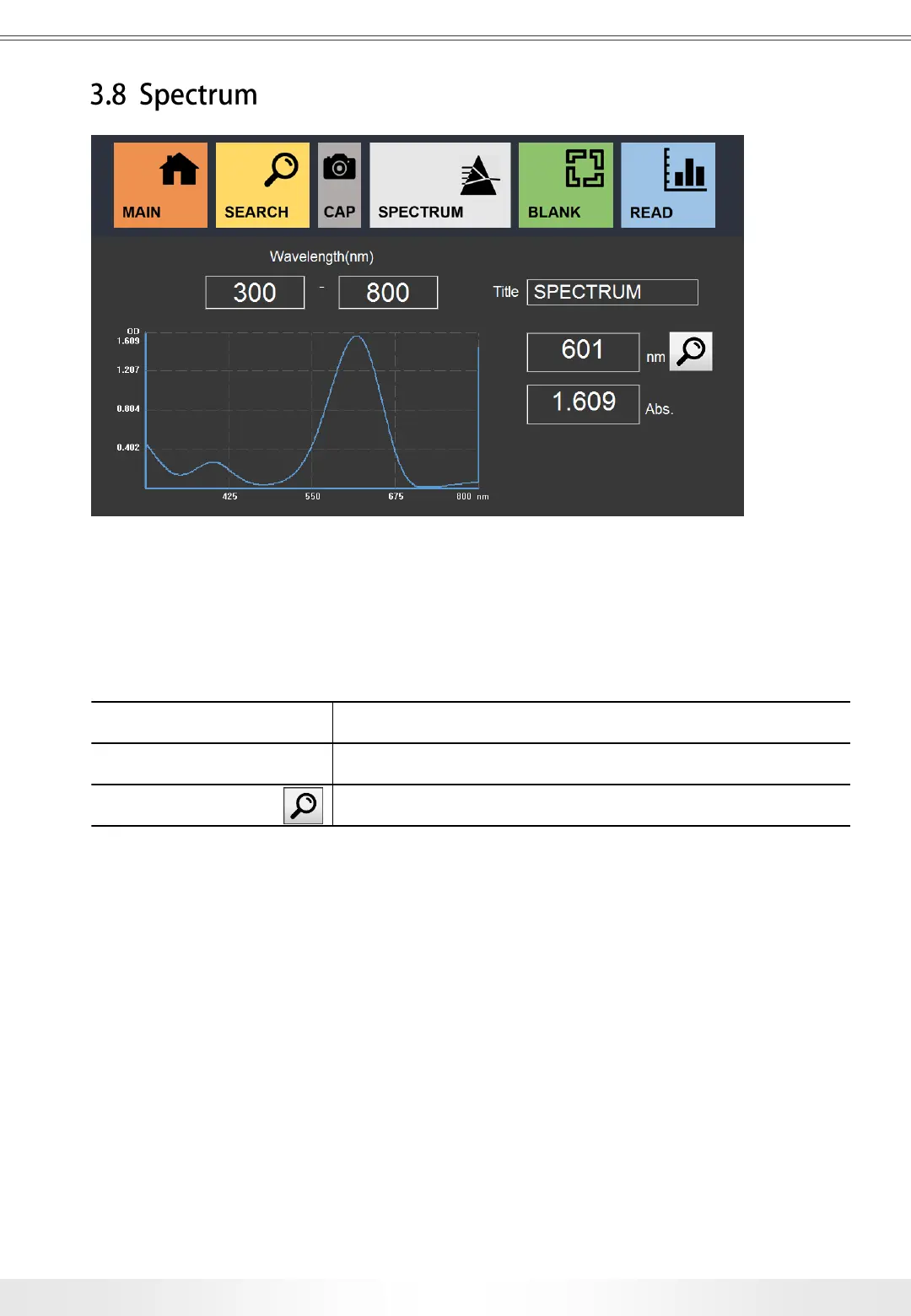
Spectrum Measurement is to perform spectrometry measurements with specified range of
wavelength.
Wavelength (nm) Input for the range of Wavelength
Title Input for the title of the measurement.
Finds Abs. value for the specified wavelength.
Procedure
1. Proceed to Spectrum page from the Main page.
2. Insert the title of the measurement.
3. Set the range of Wavelength.
4. Set a blank value for the measurement. (Check pg. 8)
5. Insert the target sample in a cuvette. (Minimum Volume: 1mℓ)
6. Touch Read button to start the measurement.
7. Check the results on the screen.
8. Check the results on the screen. The resulting data will be saved automatically,
and can be searched in the search panel.
Spectrum Page
3. User Interface
23


 To Next Page