Nabi User Manual
www.md-best.com
All Rights Reserved
Detail Loads detailed information of the selected data.
Change Title
Loads a Change Title panel to change the title of the selected
data.
Delete Deletes the selected data.
Data Transfer
Transfers the displayed list to USB Flash Drive.
The USB Flash Drive must be in FAT Format.
Back Goes back to previous page.
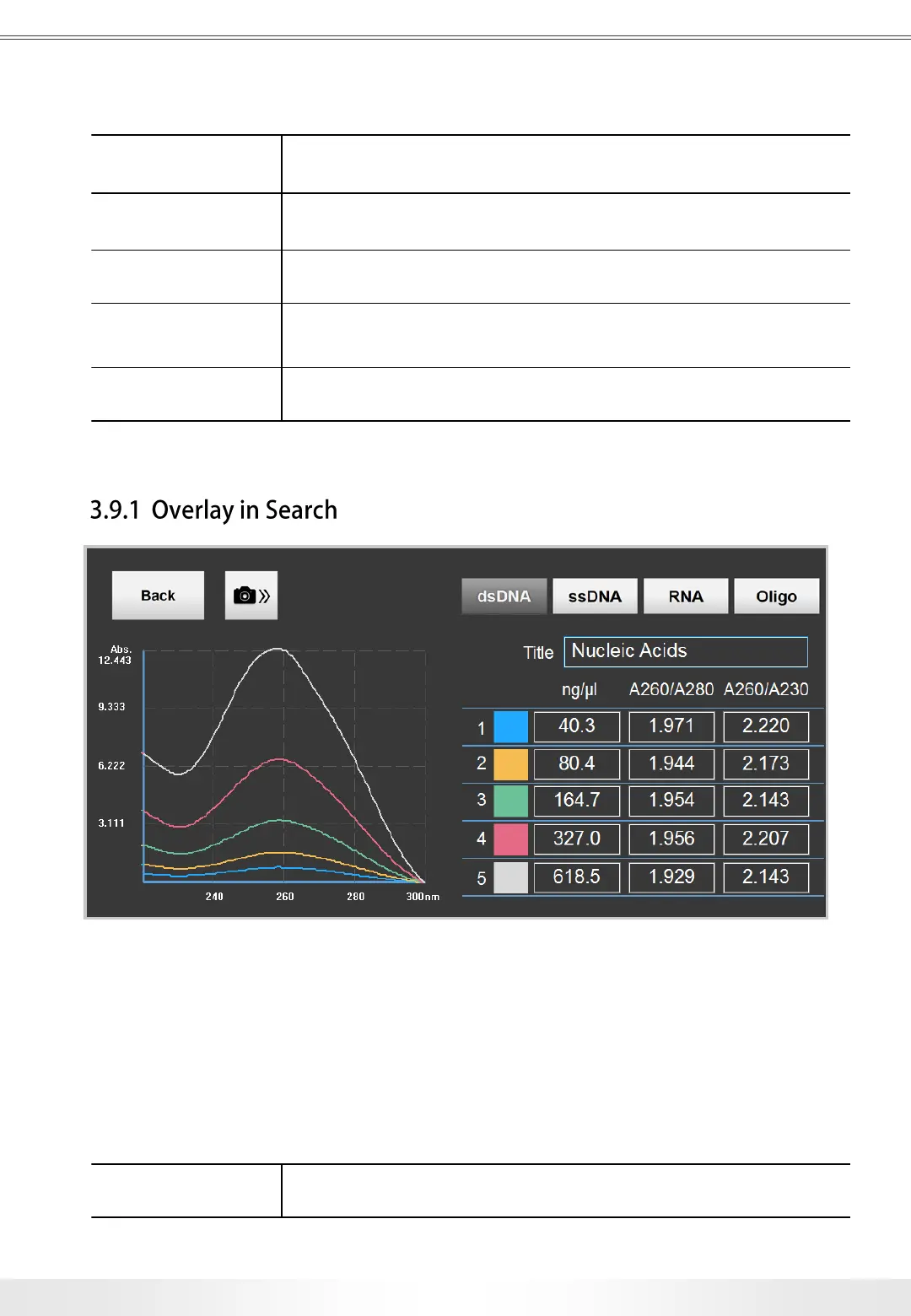
Overlay Panel
Overlay Panel is to compare the results up to 5. It is accessible by selecting multiple data
from the DNA/RNA Search List Panel and touching Detail button. Each measurement has
different colors labeled for graph comparison.
Back Goes back to previous page.
26
3. User Interface


 To Next Page