Nabi User Manual
www.md-best.com
All Rights Reserved
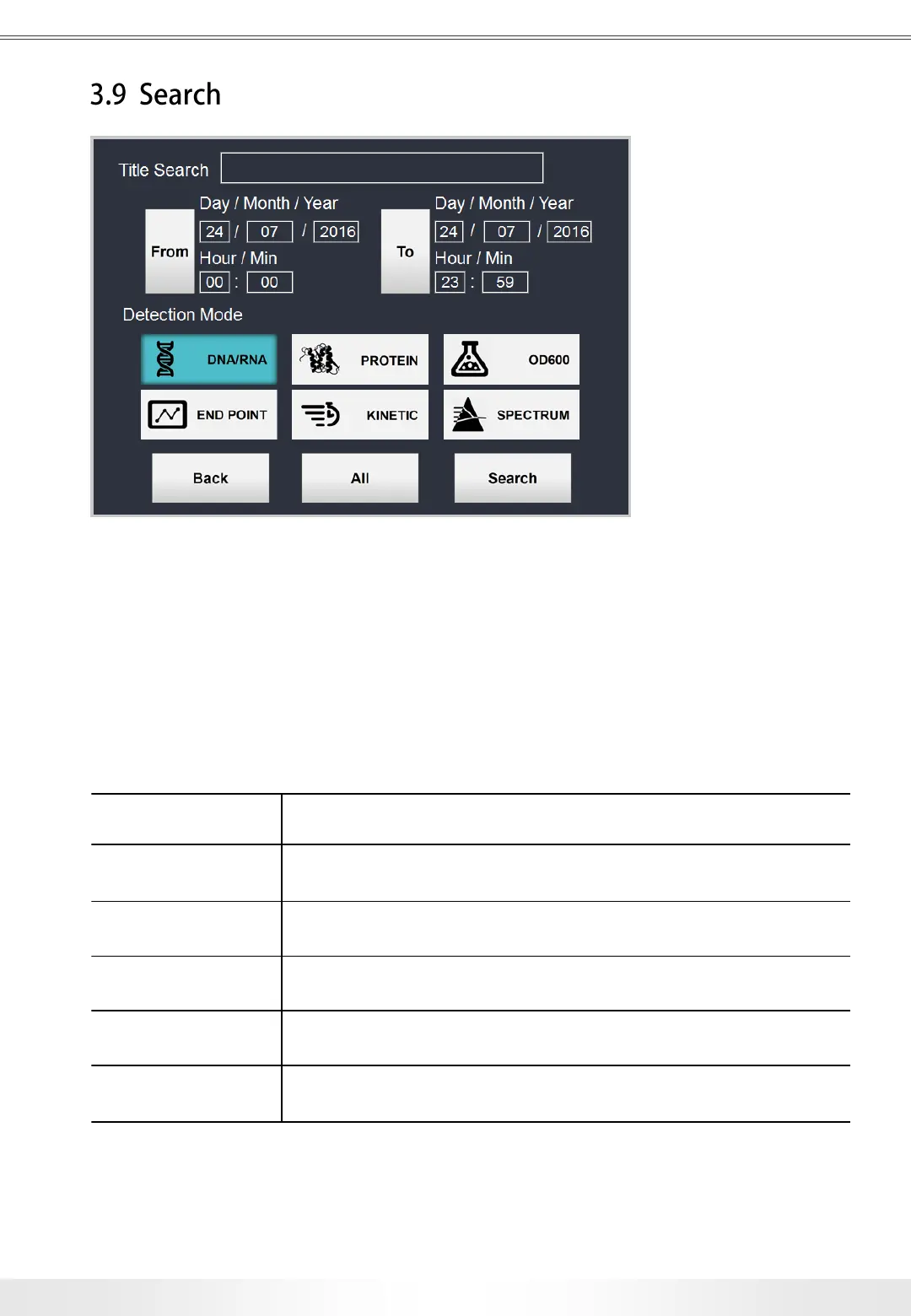
Search Panel is accessible from Main Screen, and any measurement pages.
All of the saved data can be searched in Search Panel. There are various options for
search. Users can select the dates, or choose the keywords of the title for the search.
Title Search Finds data under the title by matching keywords
Date & Time
Finds data under specified dates and times. Users can load
a calendar by touching From and To buttons and select the date.
Detection Mode Finds data under the selected detection mode.
Back Goes back to previous page.
All Finds all of the data under the selected detection mode.
Search
Finds all of the data having properties of specified dates, title, and
detection mode.
3. User Interface
Search Panel
24


 To Next Page