www.md-best.com
All Rights Reserved
Nabi User Manual
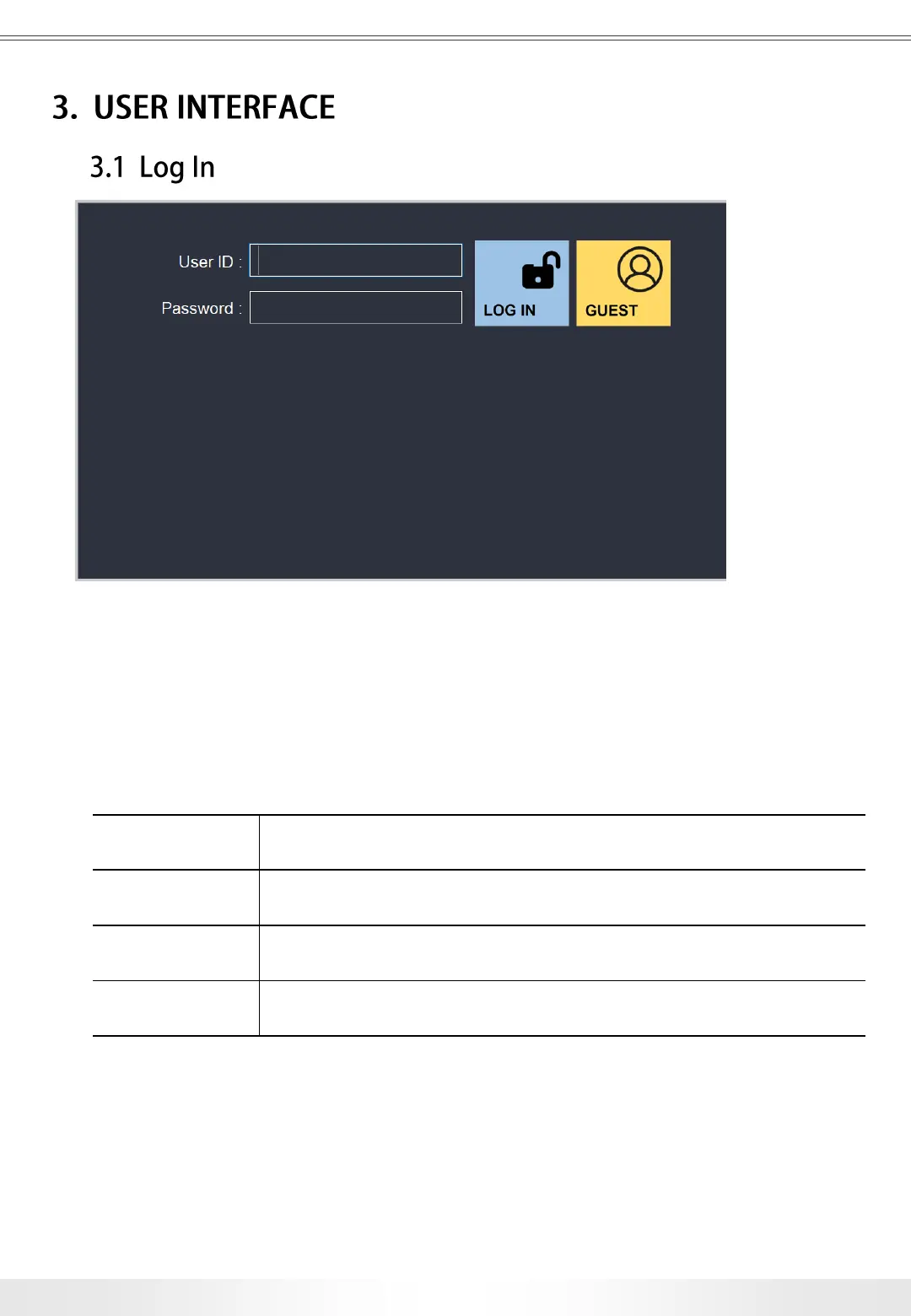
User ID User ID of the account.
Password Password of the account.
Power Logs in as an account with specified ID.
Guest Logs in as a guest.
When the instrument is turned on, the Log In page will appear as above. Users can enter
their ID and Password, and touch the Log In button to log in, or can log in as a guest by
touching the Guest button without entering the User ID and Password for quick
measurement.
Log In Page
11
3. User Interface


 To Next Page