www.md-best.com
All Rights Reserved
Nabi User Manual
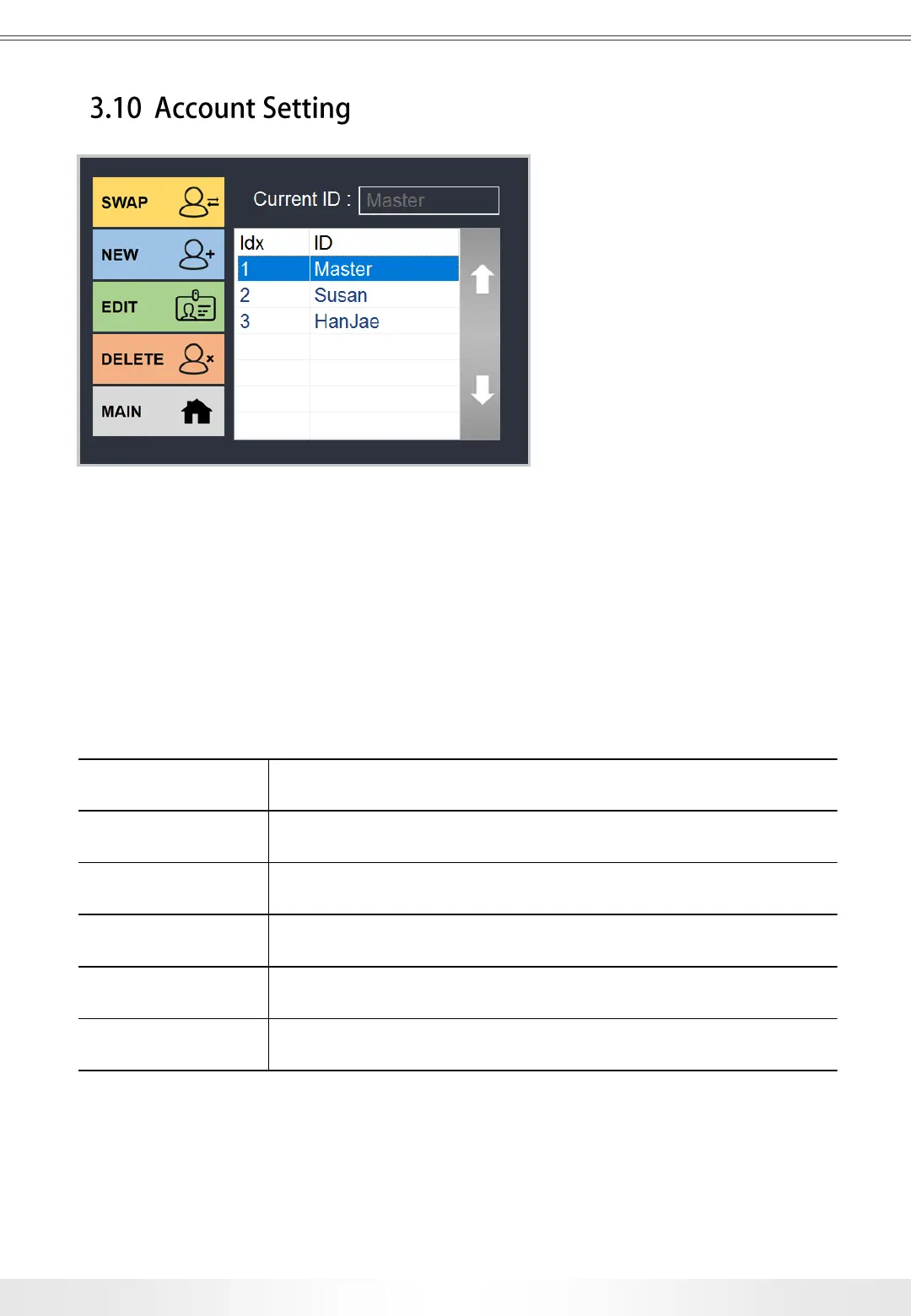
Account panel is accessible from the Main page by touching the Account button.
Users can swap current account, create new account, edit the selected account, or delete
the selected account in the Account page. Master account cannot be deleted, and its
password can be changed in the Setup page.
Current ID Shows ID of current account logged in.
Swap Swaps between the current account to the selected account.
New Creates a new account.
Edit Edits ID and passwords of selected account.
Delete Deletes the selected account.
Main Goes back to the Main page.
Account Panel
29
3. User Interface


 To Next Page