Mixed Reality Capture
Capturing Screenshots
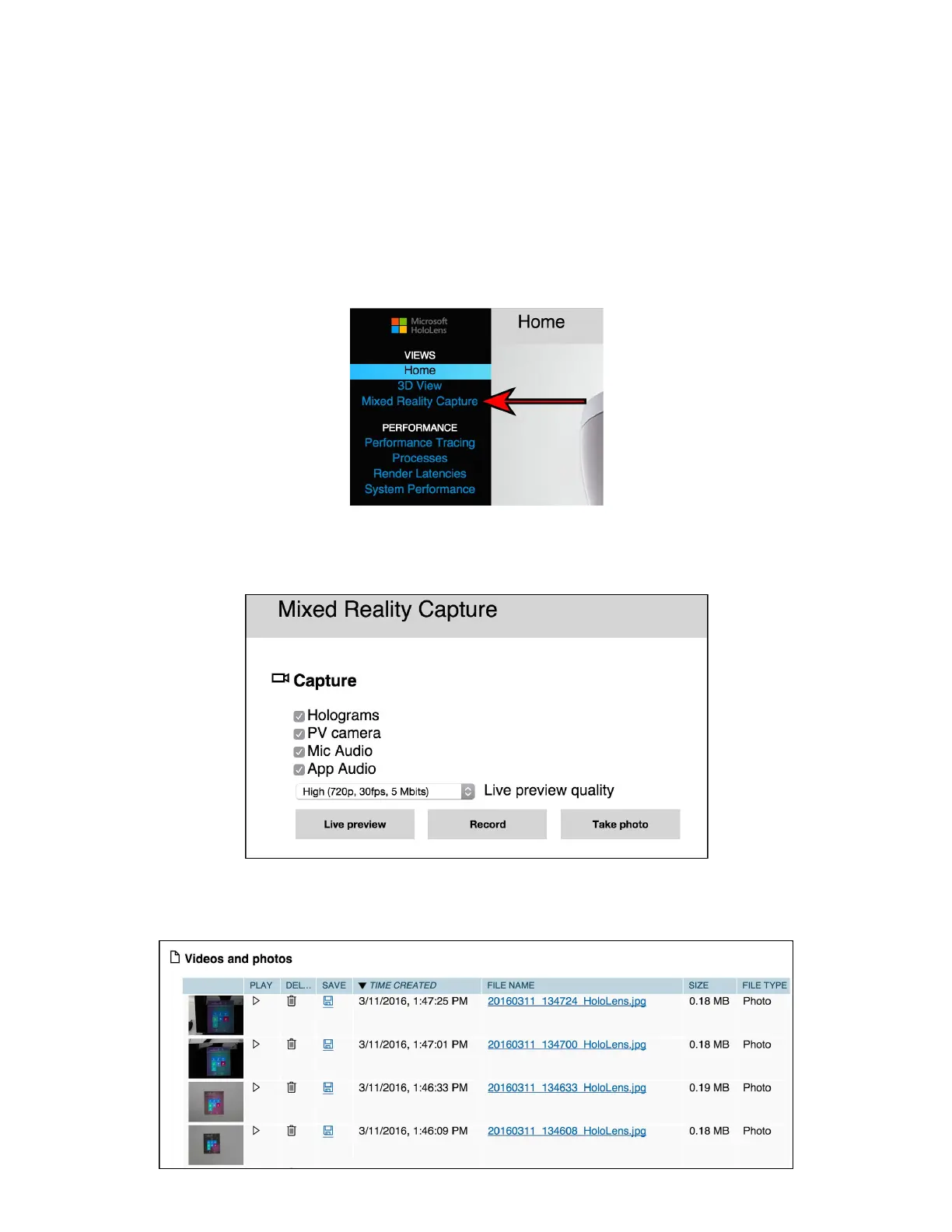
The web interface contains built-in functionality to allow the user to screenshot a photo, video,
or live stream out of the HoloLens device. To access this functionality, select the ‘Mixed Reality
Capture’ menu item on the left sidebar of the Web Interface.
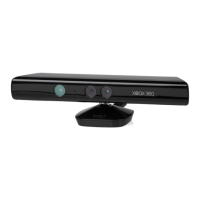
The ‘Mixed Reality Capture’ page allows the user to change multiple settings that will adjust
what data is captured in the screenshot. Select ‘Take photo’ to capture a screenshot.
The captured photos (and videos) appear in the list below. From here, they can be played,
downloaded, or deleted.


 To Next Page