For more info on Skype-to-Skype instant messages, see the video at www.youtube.com/
watch?v=AF2HRYdPnAM (in English only).
Tip: To save on data costs, use a Wi-Fi network connection with Skype whenever
possible.
Share your location in a Skype chat
While in a chat, tap > share location > .
Send your location in a message
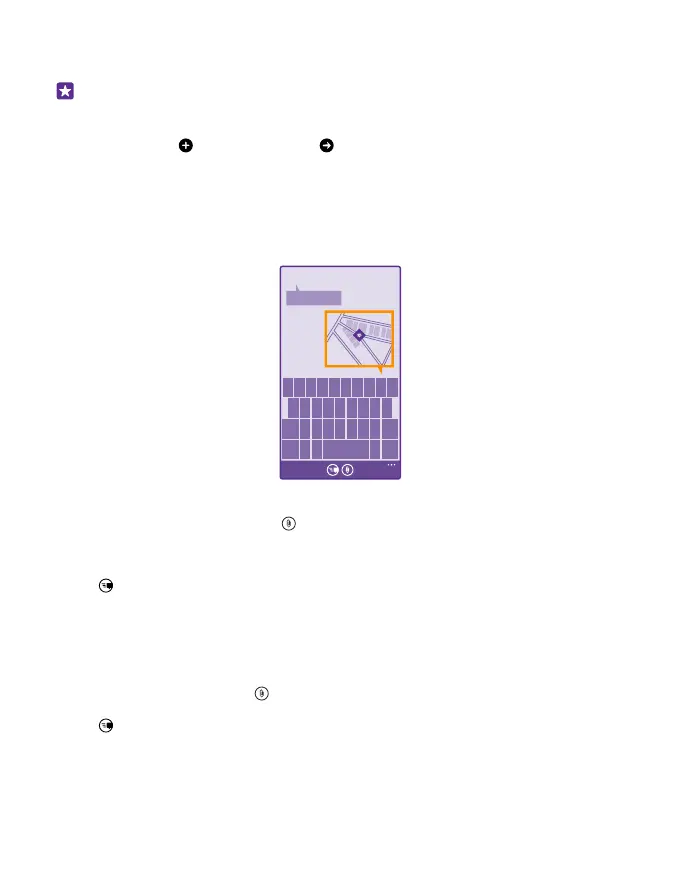
Asked your friends to come and meet you, but they don't know the place? Send them your
location on a map.
This feature may not be available for all regions.
Your phone may ask you about using your location. You need to allow it to use this feature.
1. When writing a text message, tap > my location.
Sending a message with an attachment may be more expensive than sending a normal text
message. For more info, contact your service provider.
2. Tap .
Your friends receive a message with a picture of where you are on the map.
Send an audio message
Want to celebrate your friend's birthday with a song? Send your song as an audio message.
1. When writing a message, tap > voice note.
2. Record your message, and tap done.
3. Tap .
© 2015 Microsoft Mobile. All rights reserved.
71














 To Next Page