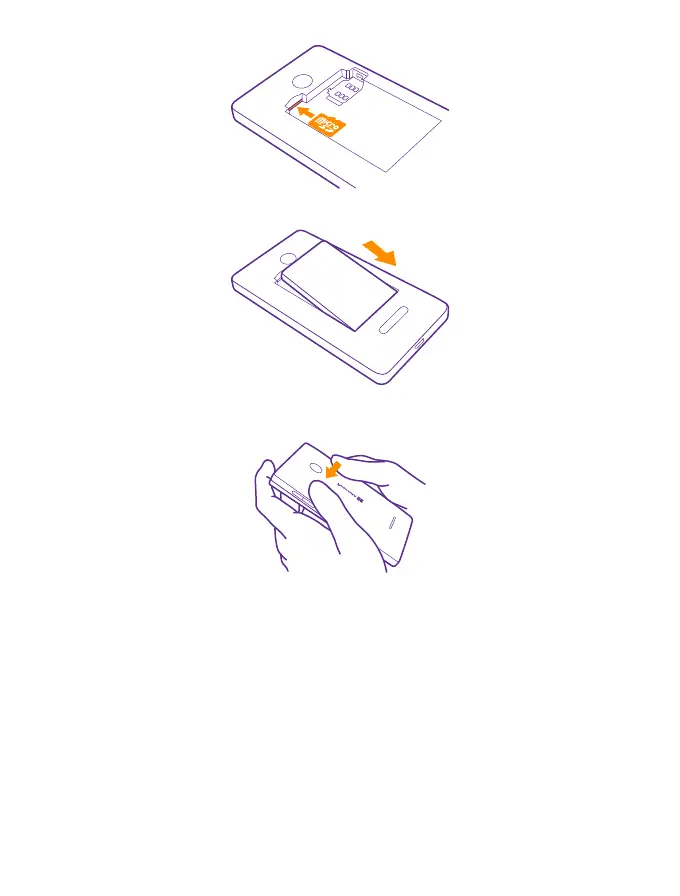
6. Line up the battery contacts, and put the battery in.
7. Press the bottom edge of the back cover against the bottom edge of your phone, and snap
the cover into place.
8. Switch your phone on.
Remove the SIM and memory card
Got a new SIM or memory card? Learn how to remove the previous card from your phone.
1. Switch your phone off.
2. Hold your phone by the top corners in one hand, and with the thumb of your other hand,
press the back cover, and remove it.
© 2015 Microsoft Mobile. All rights reserved.
7














 To Next Page