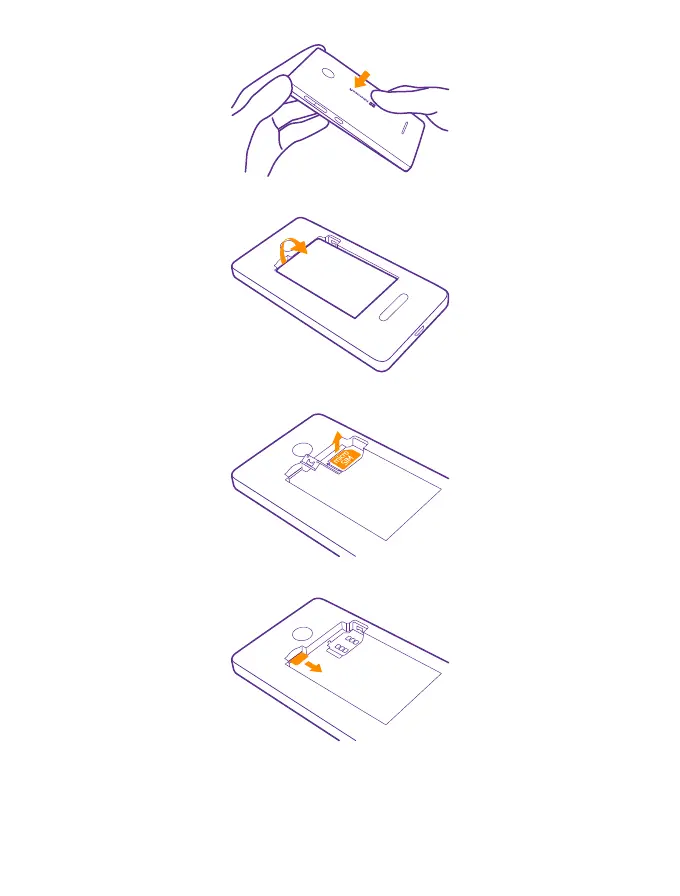
3. If the battery is in, lift it out.
4. To remove the SIM card, open the SIM holder, and take the SIM out.
5. To remove the memory card, pull it out from the slot.
6. Line up the battery contacts, and put the battery in.
© 2015 Microsoft Mobile. All rights reserved.
8














 To Next Page