EasyManua.ls Logo

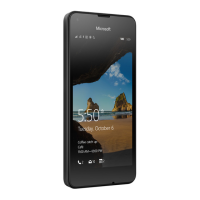
Microsoft RM-1090 - User Manual

Microsoft RM-1090
19 pages
Print Icon
To Next Page IconTo Next Page
Loading...
Quick Guide
x Issue draft EN
RM-1089
RM-1090
Question and Answer IconNeed help?

Do you have a question about the Microsoft RM-1090 and is the answer not in the manual?

Summary

Keys and Parts Overview

Getting Started with Your Phone

SIM and Memory Card Installation

Inserting SIM and Memory Cards

Instructions for inserting micro-SIM cards and a microSD memory card into their respective slots.

Reassembling Your Phone

Initial Phone Setup

On-screen Setup Wizard

Follows the guided process for network, settings, and Microsoft account setup.

Navigating the User Interface

Touch Navigation Basics

Getting Help and Support

Phone Not Responding Fix

Steps to restart the phone by holding power/volume keys or removing the battery.

Product Safety and Information

General Safety and Usage

Covers safe usage, battery handling, charging, and environmental factors.

Mobile Device Use While Driving

Important guidance on safe mobile phone operation when driving.

Regulatory Compliance and SAR

Radio Frequency Exposure Limits

Details on SAR values and international guidelines for radio wave exposure.

Manufacturers Limited Warranty

Warranty Coverage and Service

Details on the warranty duration for the product and available service options.

Warranty Exclusions and Limitations

Summary

Keys and Parts Overview

Getting Started with Your Phone

SIM and Memory Card Installation

Inserting SIM and Memory Cards

Instructions for inserting micro-SIM cards and a microSD memory card into their respective slots.

Reassembling Your Phone

Initial Phone Setup

On-screen Setup Wizard

Follows the guided process for network, settings, and Microsoft account setup.

Navigating the User Interface

Touch Navigation Basics

Getting Help and Support

Phone Not Responding Fix

Steps to restart the phone by holding power/volume keys or removing the battery.

Product Safety and Information

General Safety and Usage

Covers safe usage, battery handling, charging, and environmental factors.

Mobile Device Use While Driving

Important guidance on safe mobile phone operation when driving.

Regulatory Compliance and SAR

Radio Frequency Exposure Limits

Details on SAR values and international guidelines for radio wave exposure.

Manufacturers Limited Warranty

Warranty Coverage and Service

Details on the warranty duration for the product and available service options.

Warranty Exclusions and Limitations

Microsoft RM-1090 Specifications

General IconGeneral
ModelRM-1090
ManufacturerMicrosoft
Device TypeCell Phone
Operating SystemWindows Phone 8.1
Internal Storage8 GB
Expandable StoragemicroSD, up to 128 GB
SIMSingle SIM
NetworkGSM / HSPA
ColorsBlack, White
ProcessorQuad-core 1.2 GHz

Related product manuals