5. CONTROL UNIT
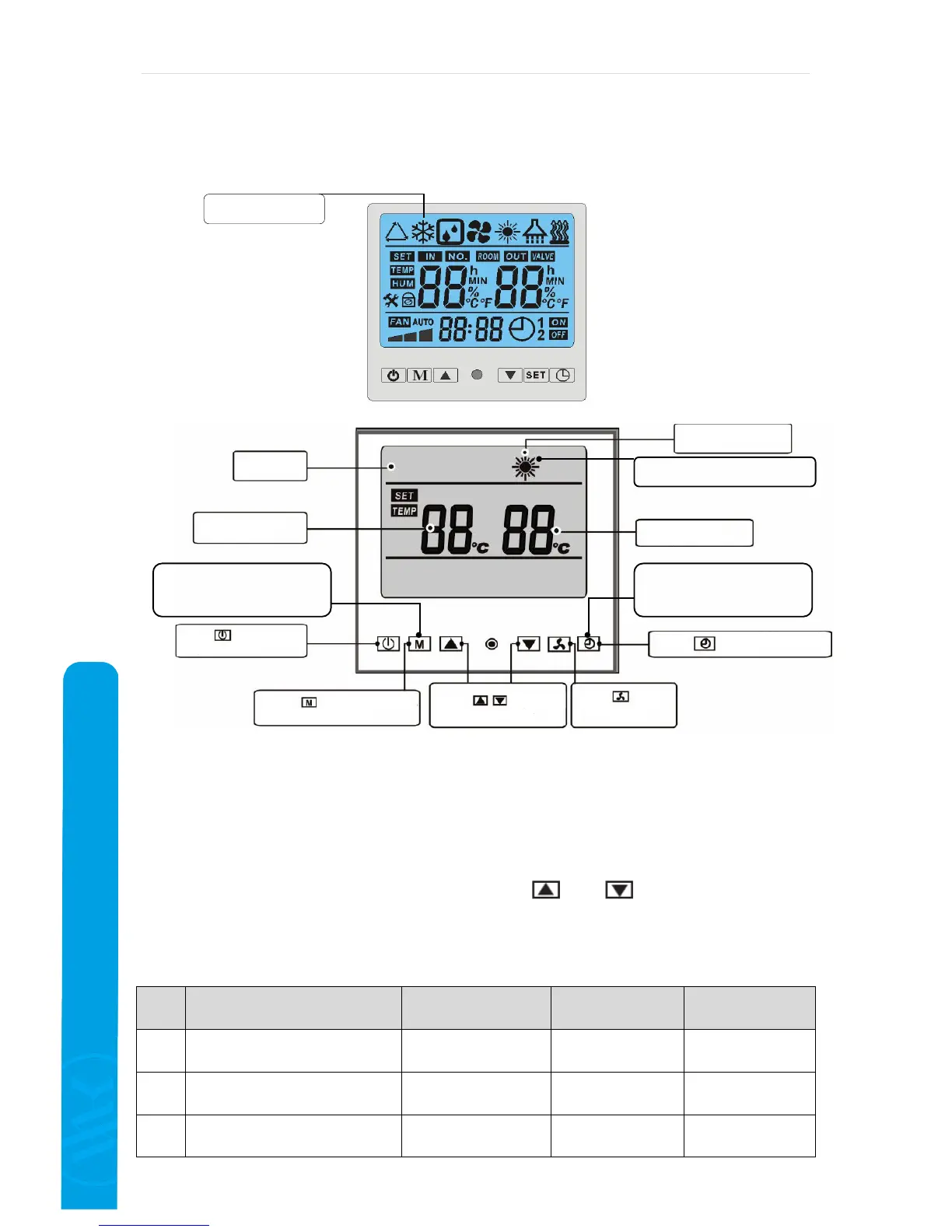
5.1 Functions of the control unit with LCD panel
5.2 Setting of the operating parameters
In STAND-BY mode (OFF) press the „M“ buttona and keep it pressed for 3 seconds.
The parameters will be displayed.
Then repress the „M“ button for displaying the requested parameter (parameters from 00 to
11, see the chart below).
The requested value is adjusted by pressing the
and buttons on the particular
parameter.
By keeping the „M“ button pressed for 3 seconds in the operating mode, you can look over
the setting parameters, however you can not change them.
Figure Meaning Range Manufacturing
setting
Setting (YES/NO)
00 Setting of the requested max. water
temperature
0/1/2~45/60/50°C
0 YES
01 Temperature setting for the beginning
of the defrosting
-20°~10°C
-7°C YES
02 Temperature setting for the end of the
defrosting
5°~45°C
13°C YES
Cooling symbol
Blinking sun-
defrosting


 To Next Page