Installation and user manual | 13
HEAT PUMP MICROWELL HP COMPACT
Figure Meaning Range Manufacturing
setting
Setting (YES/NO)
03 Setting of the defrosting time period
30 ~150 min.
45 min. YES
04 Setting of the forced defrosting time
period
1 ~15 min.
3 min. YES
05 Setting of the compressor´s
protection temperature
70 ~110°C
95°C YES
06 Temperature for opening the second
4-way valve
0 ~60°C
7°C YES
07 Working mode of the heat pump
(NORMAL / SPECIAL)
0 ~1
1 YES
08 Restart after power cut
0 ~1
(0-no, 1-yes)
1 YES
09 Type (0-only heating, 1-
heating+cooling, 2-
heating+cooling+two exchangers)
0 ~3
1 YES
10 Difference between the current and
requested water temperature for the
regulation start-up
1 ~10°C
2°C YES
11 Switching on the compressor 0/1
0 NO
Note: The manufacturing setting may differ from the data in the chart.
Note:
We suggest not to change the settings with a „NIE“ sign.
Note:
10 seconds after the last pressing of the button, the display switches over to the standard
display of the set water temperature/current water temperature (while running), or the current water
temperature in STAND-BY mode.
5.3 Turning on/off the operating / STAND-BY mode and setting
of the requested water temperature
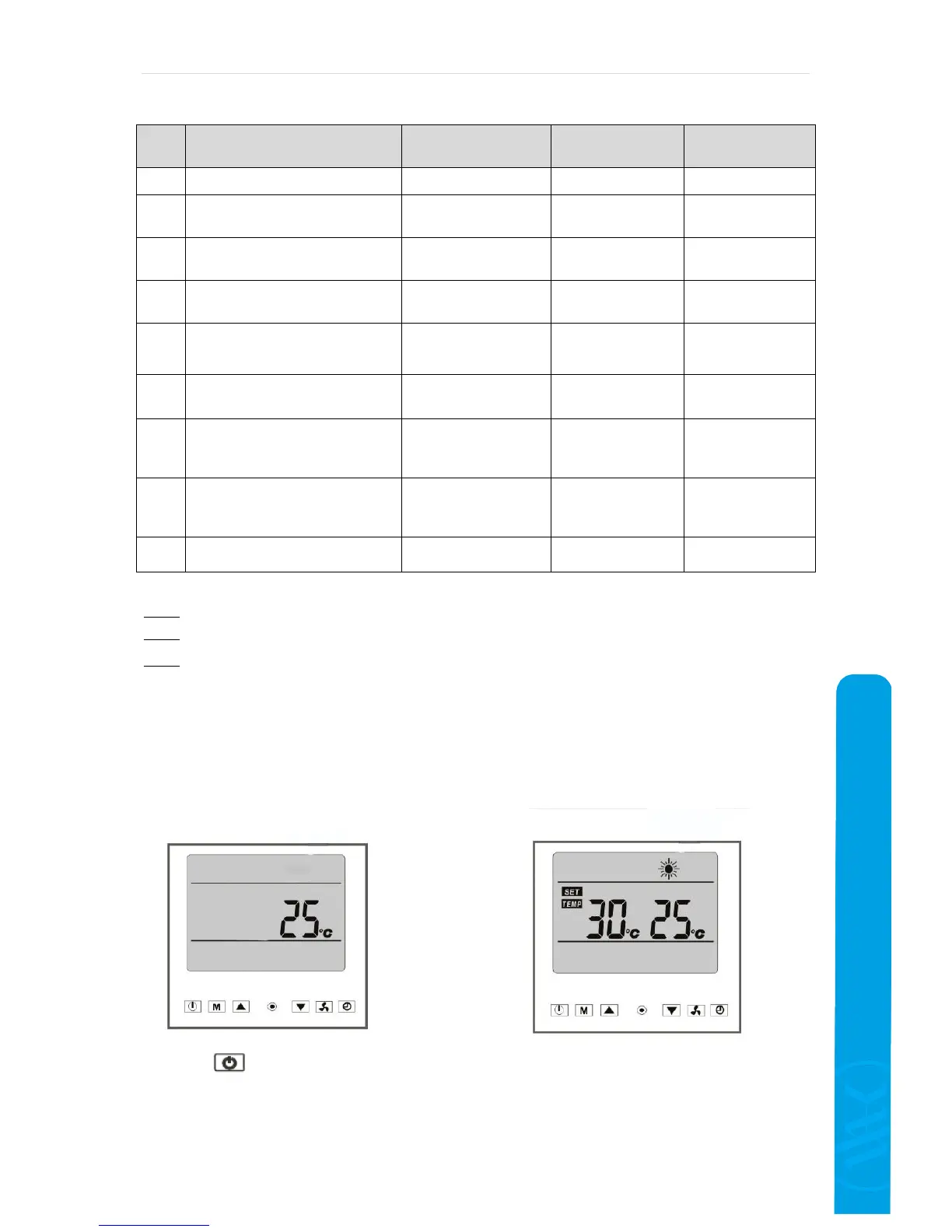
Press to turn on the device. During operation, the display shows the adjusted water
temperature, output water temperaure and the heating mode symbol.
The requested water temperature can be adjusted only during the device operation.
Display in the operating mode
Display in the emergency mode


 To Next Page