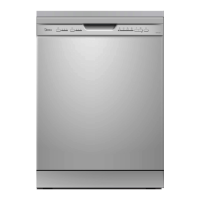
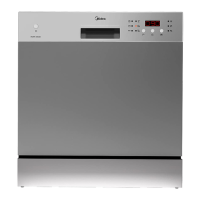
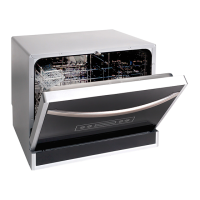
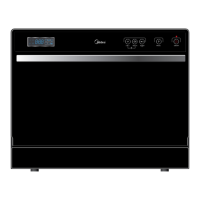
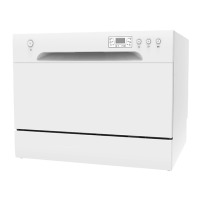
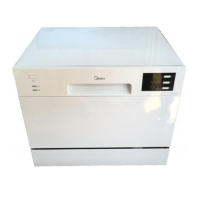
This document is an instruction manual for a Midea dishwasher, model WQP12-J7635E, specifically Part II: Special Version. It provides comprehensive guidance on the operation, programming, and maintenance of the appliance.
Function Description
The Midea WQP12-J7635E is a household dishwasher designed to clean various types of crockery, cutlery, and cookware. It features multiple wash programs tailored for different levels of soiling and types of items. The dishwasher is equipped with a water softener system to remove minerals and salts from the water, which helps prevent deposits on dishes and utensils and improves the appliance's overall performance. It also utilizes rinse aid during the final rinse to prevent water spots and streaks, enhancing drying efficiency. The appliance is designed to be user-friendly, with a control panel that allows for easy program selection, delay settings, and monitoring of the wash cycle.
Usage Features
The dishwasher offers a range of programs to suit various washing needs:
- Auto: This program automatically adjusts to lightly, normally, or heavily soiled crockery, with or without dried-on food.
- Intensive: Ideal for the heaviest soiled crockery, pots, pans, and dishes with dried-on food.
- Normal: Suitable for normally soiled loads, including pots, plates, glasses, and lightly soiled pans.
- ECO (EN 50242): This is the standard program, designed for normally soiled tableware, offering the most efficient combination of energy and water consumption.
- Glass: A gentle program for lightly soiled crockery and glass.
- 90 Min: For normally soiled loads that require a quick wash.
- Rapid: A shorter wash for lightly soiled loads that do not require drying.
- Soak: Used to rinse dishes that will be washed later, preventing food from drying onto them.
Additional features enhance usability:
- Strong Wash: Improves cleaning efficiency for Intensive, Normal, ECO, Glass, and 90 Min programs.
- Extra Drying: Enhances drying efficiency for Intensive, Normal, ECO, Glass, and 90 Min programs.
- Alt (Alternate Wash): Allows selection of either the upper or lower basket for washing, useful for partial loads. This function is available for Auto, Intensive, Normal, ECO, and Glass programs.
- Delay -/+: Enables users to set a delay time for the wash cycle, up to a maximum of 24 hours.
- Child Lock: A safety feature that locks the control panel buttons to prevent accidental program changes.
- Start/Pause: Initiates or pauses the selected washing program.
The dishwasher also provides visual indicators on the display for:
- Rinse Aid: Alerts when rinse aid levels are low and require refilling.
- Salt: Indicates when dishwasher salt levels are low and need to be refilled for the water softener.
- Water Faucet: Shows if the water faucet is closed.
- Upper/Lower Faucet: Indicates which rack nozzle (upper or lower) is activated, allowing for targeted washing.
- Display: Shows remaining time, delay time, and error codes.
Loading the dishwasher is guided by recommendations to ensure optimal cleaning:
- Scrape off large food residues; pre-rinsing under running water is not necessary.
- Load items face downwards, with curved items slanted to allow water runoff.
- Ensure all utensils are stable and do not obstruct the spray arms.
- Hollow items should be placed with openings facing downwards.
- Avoid stacking dishes or cutlery on top of each other.
- Delicate items like glasses, coffee, and tea cups are best placed in the upper basket.
- Large and heavily soiled items, such as pots and pans, should be placed in the lower basket.
- Sharp cutlery should be loaded with the sharp point down in the cutlery basket.
- Do not overload the dishwasher for best results and energy efficiency.
Maintenance Features
Proper maintenance is crucial for the dishwasher's longevity and performance:
- Water Softener Adjustment: The water softener must be manually set according to the local water hardness. The manual provides a table to guide this adjustment, ranging from H1 (0 salt consumption) to H6 (60g salt consumption). This ensures optimal removal of minerals and salts.
- Rinse Aid Refilling: The rinse aid dispenser should be refilled when the warning light appears or when the optical level indicator shows less than 1/4 full. The dispenser has six settings to adjust the rinse aid dosage, allowing users to prevent spots or sticky stains. Only branded liquid rinse aid specifically for dishwashers should be used.
- Detergent Filling: Detergent should be added to the larger cavity for the main wash cycle, and for heavily soiled loads, a smaller amount can be added to the pre-wash cavity. Only detergent specifically made for dishwashers should be used, and it should be kept fresh and dry.
- Error Codes: The dishwasher displays error codes (E1, E3, E4, E8, Ed) to help identify malfunctions, such as longer inlet time, heating element issues, overflow, distributary valve failure, or communication errors between PCBs. The manual advises turning off the main water supply in case of overflow and removing any water from the base pan before restarting.
- General Care: The manual emphasizes the importance of reading it carefully and keeping it for future reference. It also notes that the manufacturer may make modifications to the product without prior notice and that a new user manual can be obtained if the current one is lost or outdated. For complex problems, users are advised to seek help from a professional technician.

 Need help?
 General

 To Next Page