
 Need help?
Do you have a question about the midiplus Audiolink III and is the answer not in the manual?
Lists key features including 24-bit/44.1kHz resolution, phantom power, hi-Z inputs, and USB power.
Details the minimum system requirements for Windows PC, including CPU and RAM.
Description of the XLR balanced connector for Channel 1 input.
Control for regulating the signal level from the Mic input.
Instructions for installing the Audiolink3 driver on a Windows XP computer.
Details on analog inputs, outputs, and gain controls.
Specifications for supported sampling frequencies, dynamic range, and S/N ratio.
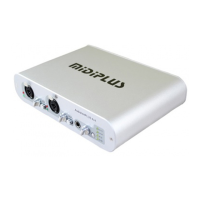
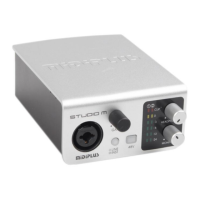
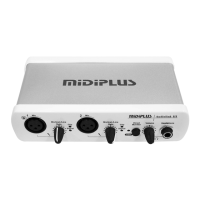
The MIDIPLUS Audiolink III is a USB audio interface designed for recording and playback on Mac and PC systems. It offers a comprehensive set of features for musicians, producers, and audio enthusiasts, enabling high-quality audio capture and monitoring.
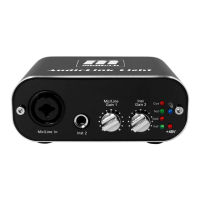
The Audiolink III serves as a bridge between analog audio sources and your computer, converting analog signals into digital data for recording and vice versa for playback. It features two input channels, each capable of accommodating microphones, instruments, or line-level signals. The interface is equipped with XLR microphone preamps that include 48V phantom power, making it suitable for condenser microphones. Additionally, it provides high-impedance (HI-Z) inputs specifically designed for direct connection of guitars and basses.
For monitoring, the Audiolink III offers a stereo headphone output with an independent level control, allowing users to listen to their audio without latency. It also includes balanced line outputs for connecting to studio monitors or other external audio equipment. A direct monitor switch is available to enable zero-latency monitoring of the input signals, which is crucial for real-time recording without distracting delays.
Beyond audio, the device integrates MIDI In and Out interfaces, allowing it to connect with MIDI controllers, synthesizers, and other MIDI-compatible devices. This expands its functionality to include sequencing, controlling virtual instruments, and synchronizing with other studio gear. The interface operates in full duplex, meaning it can record and play back audio simultaneously, which is essential for multi-track recording and overdubbing.
The Audiolink III is a class-compliant USB audio interface, which means it can be used with Windows XP, Vista, and Mac OSX (10.2.6 or greater) without the need for additional drivers. However, installing the dedicated ASIO driver for Windows systems unlocks enhanced functionality, including low-latency performance, which is critical for professional audio applications. The device is USB-powered, offering portability and convenience, as it does not require an external power adapter for basic operation. However, an optional DC 9V input is available for situations where additional power is needed, particularly when using the 48V phantom power for microphones.
Setting up the Audiolink III is straightforward. Users simply connect the device to their computer via a USB port. For optimal performance, it is recommended to connect directly to a built-in USB port rather than through a USB hub or keyboard connection. Once connected, Windows XP and Vista systems will automatically detect and install the necessary USB audio device drivers. For advanced users or those requiring low-latency performance, the dedicated ASIO driver can be downloaded and installed. This driver provides access to a device control panel for fine-tuning audio settings.
Each input channel on the Audiolink III features a gain control knob, allowing users to adjust the input level of their microphones or instruments. This is crucial for achieving optimal signal-to-noise ratio and preventing clipping. Signal indicator lights are provided for each input: a green light indicates an available input signal, while a red light warns of an excessively high input signal that may lead to clipping. Users are advised to adjust the gain so that the loudest signals illuminate the yellow light, avoiding the red light to ensure clean, undistorted recordings. Clipping, indicated by the red light, results in a "pop" or "tick" sound in the recording and should be avoided for the best audio quality.
The 48V phantom power for condenser microphones can be toggled on or off using a dedicated switch on the rear panel. This feature is essential for powering condenser microphones, but it should only be activated when needed. The headphone output has its own volume control, enabling users to adjust their monitoring level independently of the main outputs. The direct monitor switch allows for zero-latency monitoring of input signals, which is particularly useful during recording sessions to hear your performance without any delay.
The MIDI In and Out ports facilitate communication with other MIDI devices. The MIDI In port receives MIDI data, while the MIDI Out port sends MIDI data, enabling control of software instruments, hardware synthesizers, and other MIDI-compatible equipment. The balanced line outputs ensure a clean and robust signal when connecting to studio monitors or other professional audio gear.
The Audiolink III is designed for durability and reliable performance. As a USB-powered device, it minimizes cable clutter and simplifies setup. While it is generally class-compliant, installing the specific ASIO drivers for Windows can enhance performance and provide access to additional control options, which can be considered a form of performance maintenance. Keeping the drivers updated ensures compatibility with the latest operating systems and software.
The device's robust construction protects its internal components. Regular cleaning of the exterior with a soft, dry cloth can help maintain its appearance and prevent dust buildup. Care should be taken to avoid spilling liquids on the device, as this can damage the internal electronics. When not in use, storing the Audiolink III in a clean, dry environment can prolong its lifespan.
The inclusion of an optional DC 9V input provides flexibility for power management. If the USB power supply is insufficient, especially when using phantom power, connecting an external power adapter ensures stable operation. This feature helps maintain consistent performance under varying power demands.
The Audiolink III is designed to be a reliable tool in a studio or mobile recording setup. Its straightforward design and intuitive controls make it easy to integrate into existing workflows, while its robust feature set supports a wide range of audio production tasks.
 General
| Audio Interface Type | USB Audio Interface |
|---|---|
| Channels | 2 |
| Bit Depth | 16-bit |
| MIDI I/O | Yes |
| USB | USB 2.0 |
| Headphone Output | 1 x 1/4" TRS |
| Compatibility | Windows, macOS |
| Sample Rate | 48 kHz |
| Inputs | 2 x XLR/TRS combo |
| Outputs | 2 x TRS |
| Phantom Power | +48V |
| Driver | ASIO |

 To Next Page