Need help?
Do you have a question about the Midland HH54VP and is the answer not in the manual?
Alert tones sound for five minutes or until any button press.
Alert tones sound briefly, then voice broadcast plays for five minutes.
Message scrolls across display; no alert sounds are heard.
Set the radio for a single county only.
Set the radio for more than one county.
Set the radio for all counties within range.
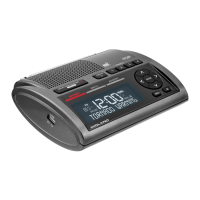
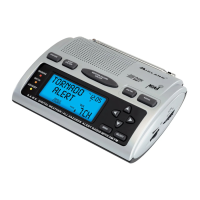
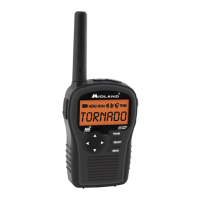
This document describes the setup and operation of the Midland Weather Radio HH54VP, a portable device designed to provide weather and hazard alerts.
The HH54VP is a weather radio that receives weather and hazard alert transmissions. It can operate on battery power for portability or with an AC adapter when at home. The device features a backlit display for visibility and includes an alarm clock function. It supports Specific Area Message Encoding (S.A.M.E.) to filter alerts for specific counties, allowing users to receive relevant information for their location. The radio can store up to 10 different alerts with overlapping effective times and displays new alerts automatically. It also provides a visual indication of alert types (Red for Warning, Orange for Watch, Yellow for Advisory).
To begin, insert three AA alkaline batteries into the battery compartment for power outages or travel. For home use, plug the AC adapter into the DC 9V jack. Press the ON/OFF button for 3 seconds to turn on the unit; it will beep, and "12:00 AM" will be backlit. Press the MENU button once to access the settings.
When "TIME" is displayed, press SELECT. The hours will flash, allowing you to adjust them using the UP/DOWN arrows. Press the RIGHT arrow to move to the minutes, which will flash. Adjust the minutes using the UP/DOWN arrows. Press SELECT to save the time.
Navigate to "BACKLIGHT" using the UP or DOWN arrow and press SELECT. Use the UP arrow to choose between "BLT NORM," "BLT ON," or "BLT OFF," then press SELECT. "BLT NORM" activates the backlight for 5 seconds when any button is pressed. "BLT ON" keeps the backlight continuously on until manually turned off. "BLT OFF" disables the backlight until manually turned on.
To test the alarm tone, navigate to "ALERT TEST" using the UP or DOWN arrow and press SELECT. The alarm will sound. Press the right or left arrow button to silence the siren or press MENU to exit.
Go to "ALERT TYPE" using the UP or DOWN arrow and press SELECT. Use the UP arrow to choose "VOICE," "TONE," or "DISPLAY."
Navigate to "SAME SET" using the UP or DOWN arrow and press SELECT. Use the UP arrow to select "SINGLE," "MULTIPLE," or "ANY."
Navigate to "CHANNEL" using the UP or DOWN arrow and press SELECT. The radio will turn on. Use the UP arrow to select a channel in your area and press SELECT to set it. Adjust the volume using the VOLUME UP or VOLUME DOWN white arrows on the right side of the radio.
Navigate to "ALARM" using the UP or DOWN arrow and press SELECT. Use the UP arrow to display "ON" and press SELECT. Use the UP or DOWN arrow to set the desired hour. Press the RIGHT arrow to move to the minutes and set them similarly. Note that AM/PM changes as you scroll through hours. Press SELECT to save the alarm time. Press MENU to exit. To temporarily silence the sleep alarm, press the WX/SNOOZE button; the alarm will advance by 9 minutes. To silence it for the rest of the day, press the MENU button.
The HH54VP offers "Home" and "Travel" modes. To activate, press the TR/HM button on the front of the radio for 3 seconds. "HM" will appear at the top of the display for Home mode. To return to Travel mode, hold TR/HM again for 3 seconds; "TR" will appear.
The HH54VP can store up to 10 alerts. When a new alert is received while others are active, it is automatically displayed. To review active alerts, press the UP arrow to scroll through the memory. A double beep indicates the end of the list. "NO MESSAGE" is displayed if no alerts are active. The display color indicates the alert type: Red for Warning, Orange for Watch, and Yellow for Advisory.
Press the WX/SNOOZE button at the top of the radio to listen to the National Weather Service broadcast. Use the UP and DOWN arrows on the side to adjust the volume. To exit broadcast mode, press the WX/SNOOZE button again. If volume was adjusted while listening, press WX/SNOOZE twice to exit.
The document does not explicitly detail maintenance features. However, the use of AA alkaline batteries suggests that battery replacement is a standard maintenance task. The device's design for both home and travel use implies a degree of robustness, but no specific cleaning or care instructions are provided.
 General
| Frequency Range | 162.400 - 162.550 MHz |
|---|---|
| Channels | 7 |
| Power Source | Battery |
| Privacy Codes | Not applicable |
| Water Resistance | No |
| Type | Handheld |
| Battery Type | 3 x AA |
| Features | NOAA Weather Alert |
| Range | Up to 25 miles |

 To Next Page