9
Figure 2
Indicators and Controls
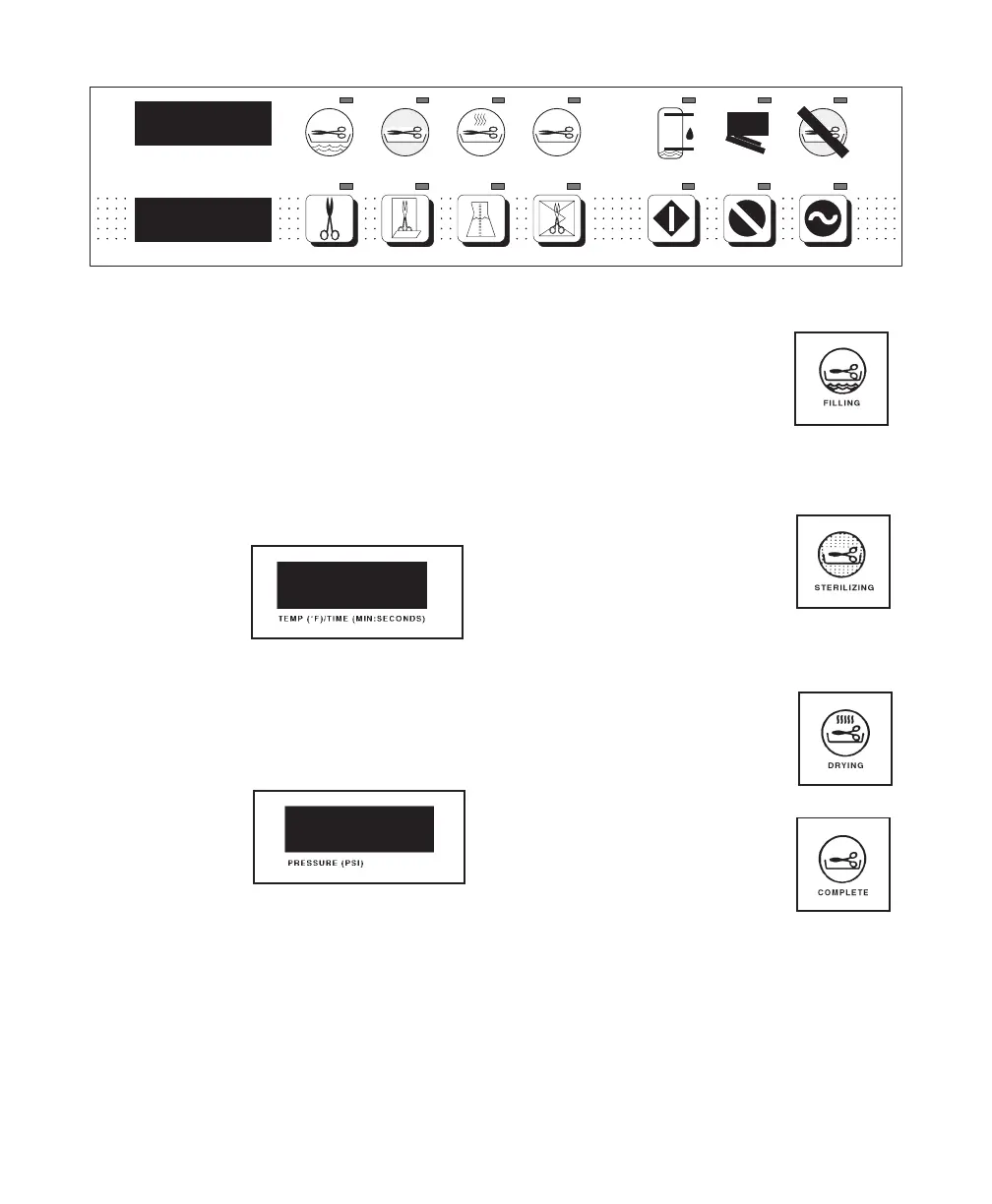
The display panel in Figure 2 shows the
location of the following indicators and
controls.
INDICATORS:
The following is a description of the indica-
tors and their function:
1. Temperature/
Time Display:
When a cycle is
selected, the
Temperature/
Time Display
alternately indicates cycle temperature and
exposure time. During a cycle, the cycle
time remaining is displayed.
2. Pressure
Display:
The Pressure
Display indicates
chamber pres-
sure during the
cycle.
3. Filling Indicator:
The Filling indicator light
illuminates when the chamber
is being filled with water.
4. Sterilizing Indicator:
The Sterilizing indicator light
illuminates during the heat up
and sterilization phases of the
program.
5. Drying Indicator
The Drying indicator light
illuminates during the drying
phase of the program.
6. Complete Indicator:
The Complete indicator light
illuminates when the sterilizer
has completed the program.
ON/STANDBY
ERROR
STOP
DOOR AJAR
START
WATER LOW
PACKS
COMPLETE
LIQUIDS
DRYING
POUCHES
STERILIZING
UNWRAPPED
FILLING
PRESSURE (PSI)
TEMP (
°
F) \ TIME (MIN : SECONDS)
MA207703
Return To Table Of Contents



 To Next Page