Setting time of day
SETTINGS F
K 12345L onG k
C
^
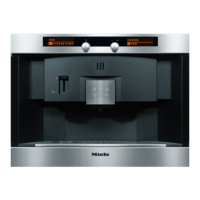
Turn the left-hand dial until you reach the "Settings" menu.
LANGUAGE
F
YK n I IJZ
The language symbol will be highlighted in the right-hand
display.
TIMES
F
Y
K n I IJZ
^ Turn the right-hand dial until the clock symbol is highlighted
and then press the dial to confirm your selection.
TIME OF DAY
Y
o A
^ Press the right-hand dial again.
TIME OF DAY
24h - Clock B
~
^
Turn the right-hand dial until the option you want is
highlighted and then press the dial to confirm your
selection.
TIME OF DAY
12:
00
^
Turn the right-hand dial to set the hour and then press the
dial to confirm your selection.
TIME OF DAY
12:
00
^
Turn the right-hand dial to set the minutes and then press
the dial to confirm your selection.
Settings: Customising your machine
18



 To Next Page