Before using for the first time
20
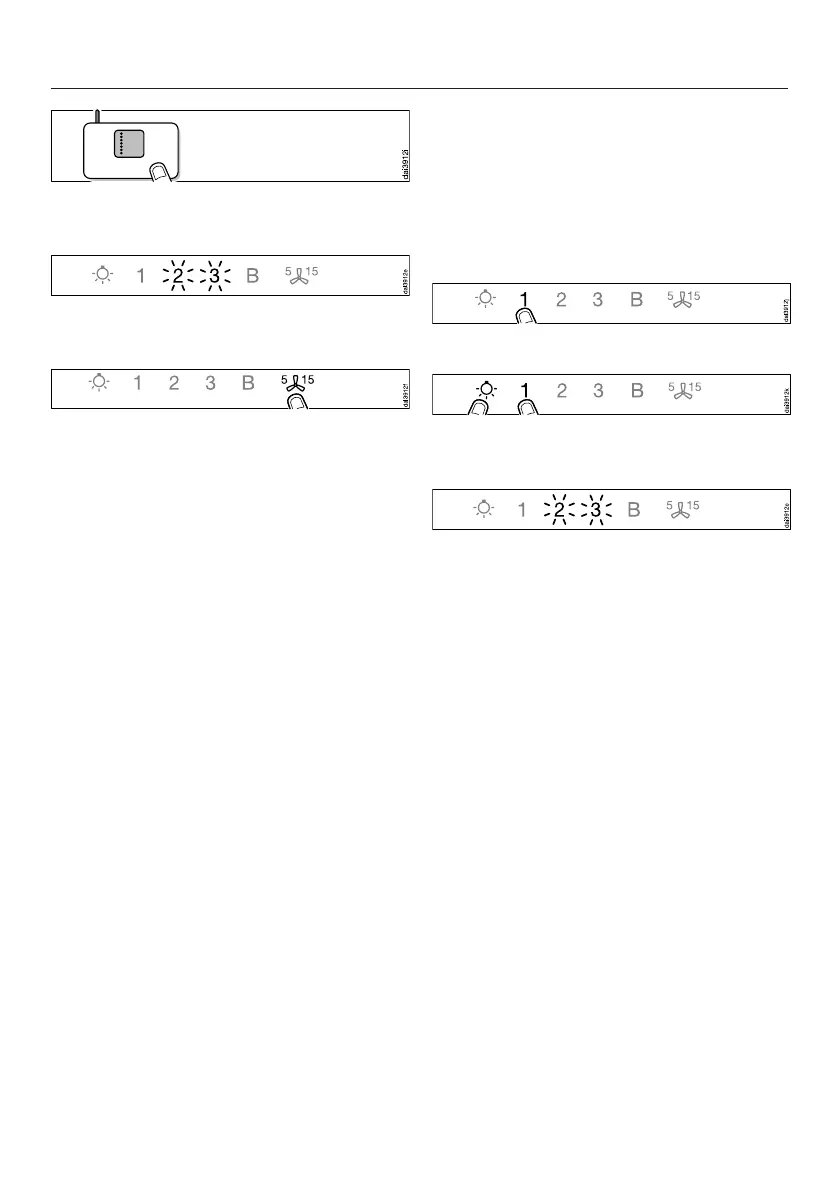
Start the WiFi connection on your
WiFi router.
When successfully connected, 2 and 3
will light up constantly.
Quit connection mode on the
ventilation hood by touching the
delayed shutdown control.
The ventilation hood can now be
operated via the app.
If the connection fails, you have
probably not connected WPS to your
router quickly enough. Repeat the steps
above.
Tip: If your WiFi router does not support
WPS, please connect via the Miele app.
Signing out of WiFi (reset to factory
settings)
To set up a new WiFi connection, the
existing WiFi connection must be
disconnected.
Switch the ventilation hood off.
Press and hold the 1 control.
Touch the lighting control at the
same time.
With an existing WiFi connection, 2 and
3 will light up constantly.
The ventilation hood is ready for
disconnection during the next two
minutes.



 To Next Page