Before using for the first time
23
Start WiFi connection on the
cooktop. For more details, see the
cooktop operating instructions.
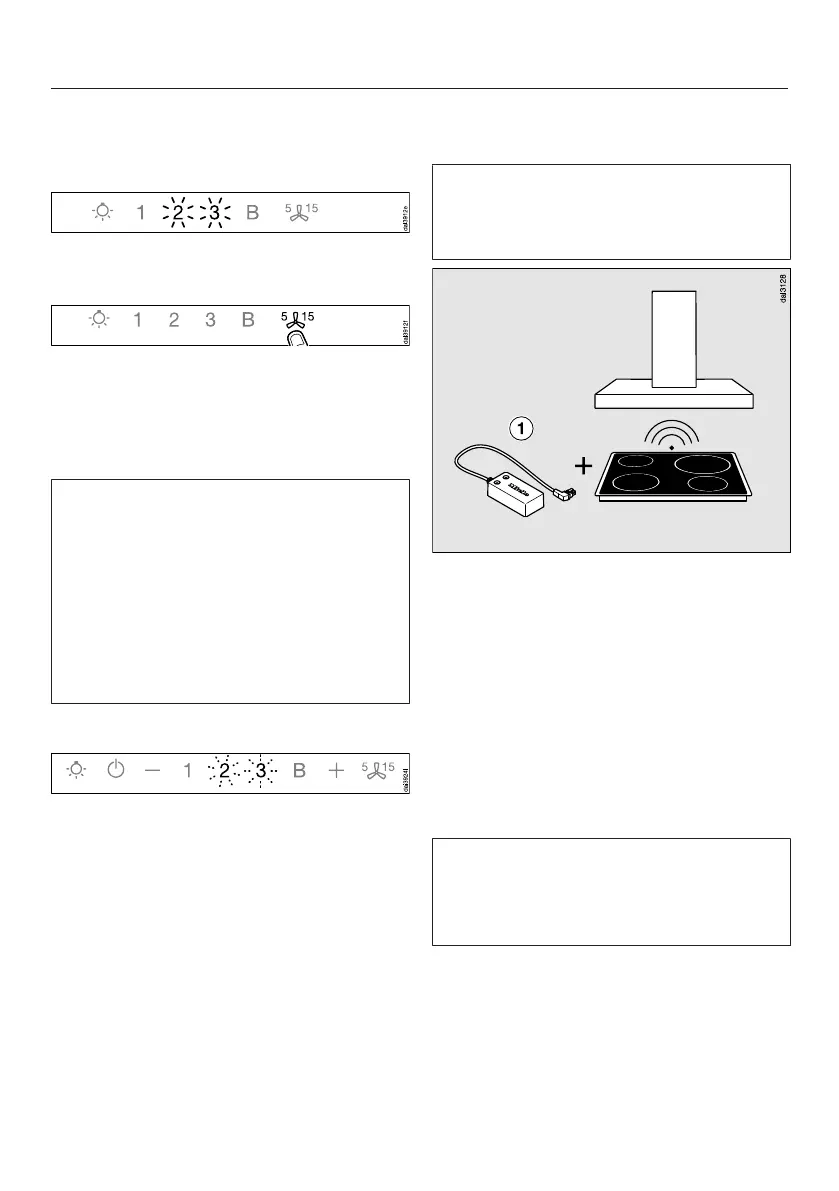
When successfully connected, 2 and 3
will light up constantly.
Quit connection mode on the
ventilation hood by touching the
delayed shutdown control.
Con@ctivity has now been activated.
With a direct WiFi connection, it is not
possible to connect the cooktop and
the ventilation hood to a home
network. Should this be required at a
later date, the WiFi connection
between the cooktop and the
ventilation hood must be
disconnected (see “Signing out of
WiFi”).
Reattempting the connection
If it is not possible to connect, 2 and 3
flash or the ventilation hood cancels the
process.
Disconnect the connection to the
ventilation hood (see “Signing out of
WiFi”) and to the cooktop.
Attempt to make the connection
again.
Con@ctivity with direct wireless
connection (Con@ctivity 2.0)
Required:
- Con@ctivity 2.0 enabled Miele
induction cooktop
This ventilation hood is supplied with a
Con@ctivity 2.0 wireless stick .
The wireless stick can only be used
with cooktops that are fitted with a slot
for the wireless stick to operate the
Con@ctivity function.
Check the installation instructions for
the Con@ctivity 2.0 stick to ensure
that it is compatible with your
cooktop.
Please note that you cannot set up a
WiFi connection at the same time as a
wireless connection (Con@activity 2.0,
remote control).



 To Next Page