WARNING - PERSONAL INJURY
HAZARD: Do not allow small chil
-
dren or unauthorized personnel ac
-
cess to the washer/disinfector or its
controls.
Cycle Operation
1. Turning on
^ Press ON/OFF button.
2. Loading washer/ disinfector
Load accessories and
washer/disinfector as explained in
"Loading the washer/
disinfector".
3. Selecting a cycle
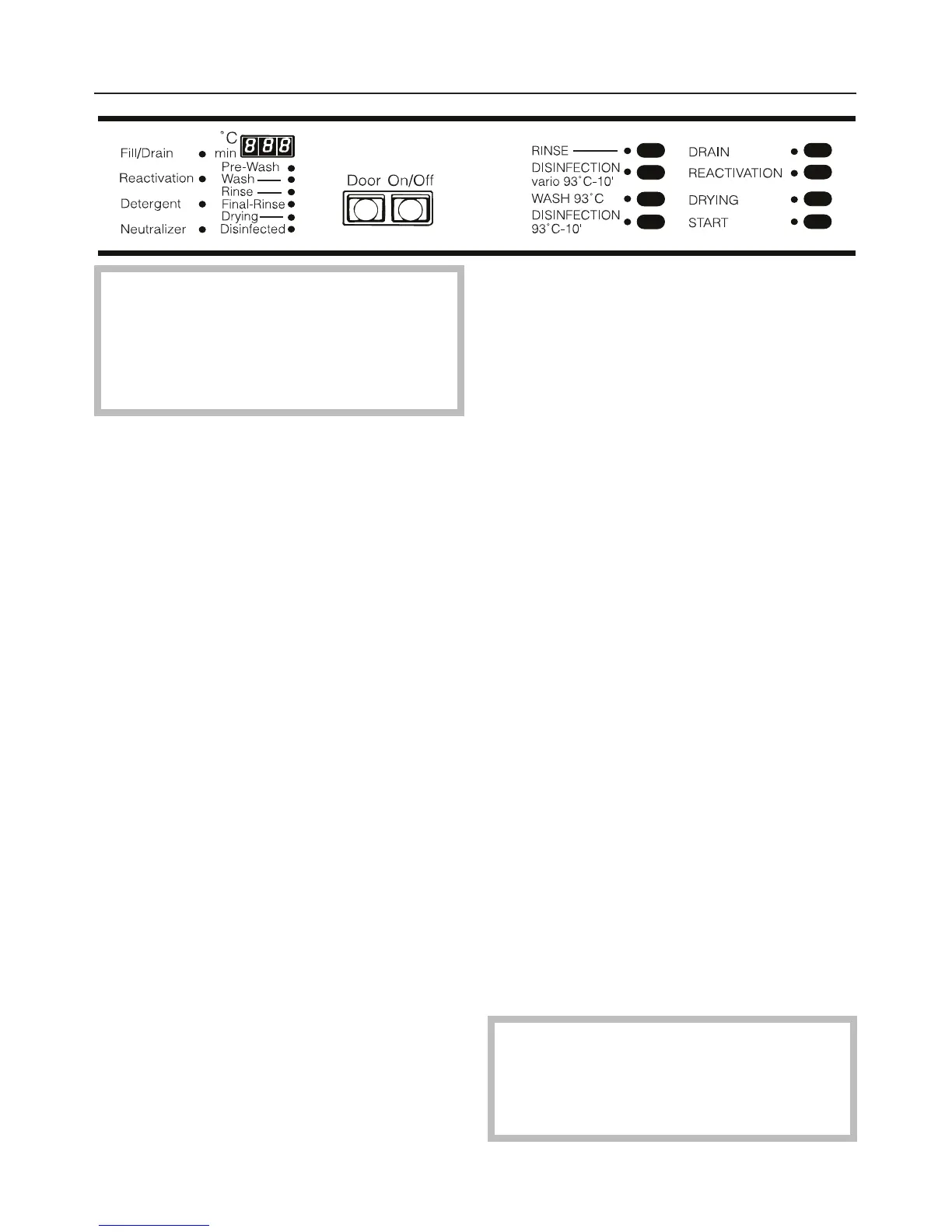
After turning on the washer/ disinfector,
the indicator lights next to the available
cycles will light.
^
Press the touch pad for the required
cycle. The wash temperature of the
selected cycle will show in the dis
-
play field and phase indicator lights
for selected cycle will light.
^
If drying cycle is desired, press
DRYING touch pad (see "Selecting
an additional cycle’).
NOTE: Provided the START touch pad
has not yet been pressed, a mistakenly
selected cycle may be changed by
pressing the appropriate touch pad to
select the correct cycle, then pressing
the START touch pad.
4. Running a cycle
^ Press the START touch pad. The dis-
play field will show the total process-
ing time in minutes for the selected
cycle and the washer/disinfector will
begin cycle operation.
NOTE:
Once START is pressed, all other
cycles are blocked and only the indica-
tor lights for the selected cycle are lit.
^
During the heating stage in WASH
and FINAL RINSE, the end tempera
-
ture will be alternately displayed on
the control panel.
5. Turning off
^
Once a cycle is complete, press the
ON/OFF button. The
washer/disinfector can now be un
-
loaded. (Refer to "Unloading the
washer/disinfector").
WARNING - BURN HAZARD:
Do not touch the heating element in
wash cabinet after the end of a cy
-
cle.
Washer/Disinfector operation
36



 To Next Page