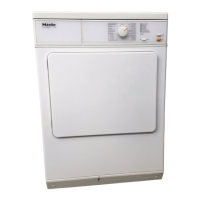
The system lock prevents anyone
from interfering with the dryer.
If the system lock has been activated it
is not possible to start a programme.
The following steps (A,B,C...) must
be carried out in the correct order.
Please proceed step by step:
To activate the system lock
A Ensure that the door is closed and
that the programme selector is
turned to
Finish
.
B Switch on the dryer.
C Press the
Energy save
button and
keep it pressed in while carrying out
steps D to F.
D Slowly turn the programme selector
clockwise
stage by stage until it
reaches the COTTONS/
Normal
posi-
tion.
E Slowly turn the programme selector
anti-clockwise
stage by stage until it
reaches the
Finish
position.
F Slowly turn the programme selector
anti-clockwise
stage by stage until it
reaches the MINIMUM IRON/
Hand
iron
position.
The
Locked
indicator light will flash.
G Release the
Energy save
button.
The system lock is now activated.
H Switch off the dryer.
To de-activate the system lock
^
Repeat steps A-G.
The
Locked
indicator light will go out af
-
ter step F.
Electronic system lock
20



 To Next Page