15
Test the System
IMPORTANT: The Base unit and the Keypad can not be within 30 feet of each other when operating. If units are closer than 30
feet the signal will be inconsistent as well as emit speaker feed back. Also, multiple Base units must be no closer than 10 feet
from each other to prevent interference.
Have someone press the CALL button on the keypad at the gate. When the base unit inside the house rings, press the ANSWER
button and talk to the person at the gate to check the connection and range. Then press the GRANT PERMISSION button and
have the person at the gate press any key on the keypad to activate the gate.
Troubleshooting
Make sure all connections are secure and correct.
Other electronic devices in the same area may interfere with the factory ID code. If the system does not communicate at all,
reset the intercom/keypad ID code as follows.
RESET ID: This will require two (2) people.
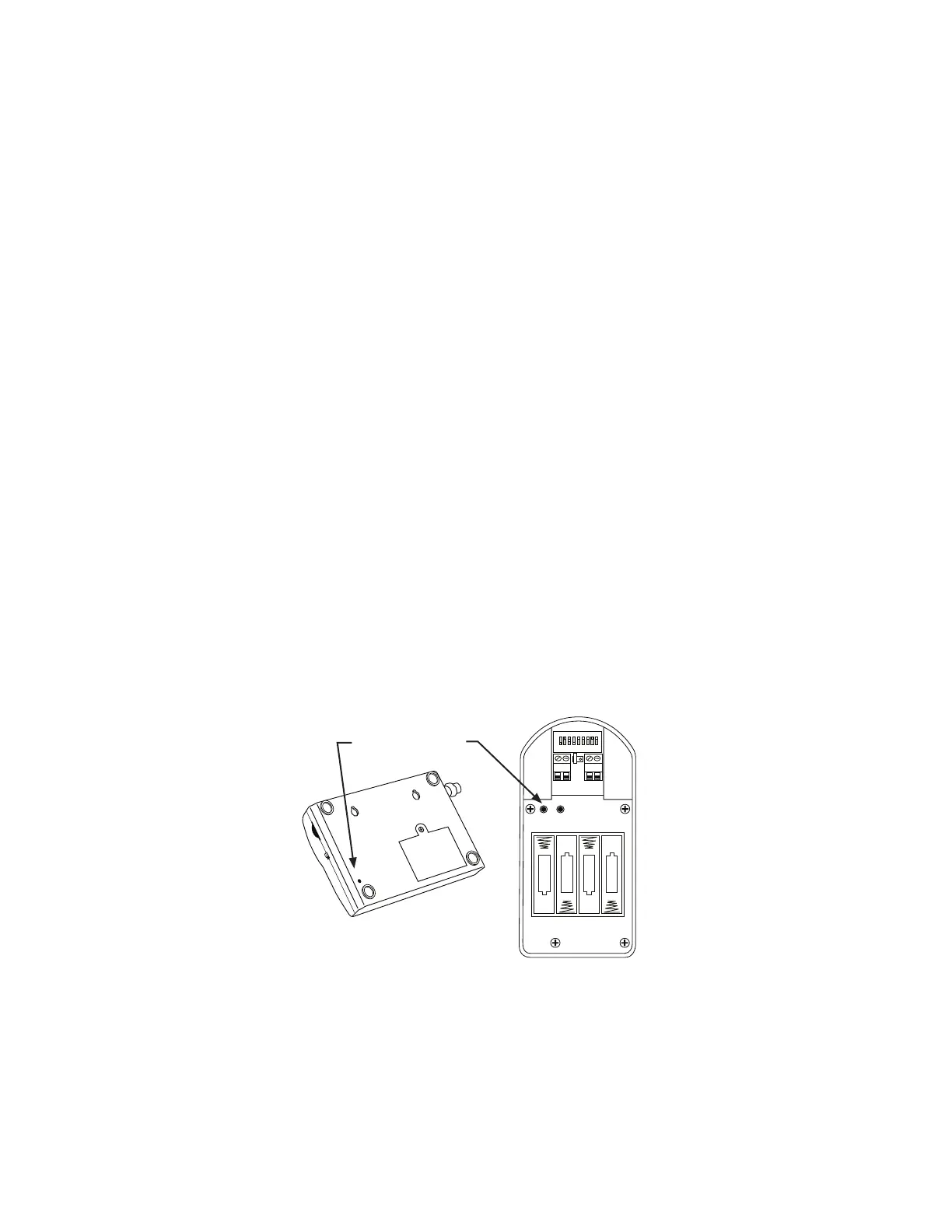
1. Open the keypad and locate the “ID SET” button above the batteries.
2. Locate the “ID SET” button on the bottom of the intercom base unit.
3. Make sure the “antenna-to-antenna” distance between the keypad and the base unit is at least 30 feet.
4. Reset the MASTER Intercom base unit’s ID Code.
Batteries must be installed and the units turned ON.
A. Press the “ID SET” button on the Keypad until you hear a beep, then release. This erases all stored ID Codes.
B. Press the “ID SET” button on the MASTER Intercom for approximately 2 seconds then release. You will hear ONE beep from
the Intercom and TWO from the Keypad, which means the ID Codes are reset.
C. Test the system by pressing the CALL button on the Keypad to see if the Intercom receives the signal.
NOTE: If the system is now working you will need to reset any additional Intercom you have installed. See “Adding Additional Intercoms”.
IMPORTANT: Base units must be no closer than 10 feet from each other to prevent interference.
RELAY
OUTPUT
AC/DC
POWER IN
123456789
+
0
–
ID SET
+
–
–
–
+
+
–
+
RESET
JUMPER
ID SET buttons
ID SET
VOLUME
POWER
OFF
ON
Keypad - Inside
Intercom - Bottom
If all connections are correct and the ID SET change didn’t solve the communication problem, please call our Technical
Service Department at 1-800-543-1236 Monday - Friday 8:00 am to 7:00 p.m. (ET).


 To Next Page