Mighty Mule FM462 Installation Instructions 17
VAR5
VAR6
K1
PF1
K2
BATT +
BATT –
K3
K4
VAR4
VAR3
VAR2
VAR1
MIN
MAX
OFF
JP1
REMOVE JUMPER FOR
PUSH TO OPEN OPTION
120
SEC.
GTO Inc. Tallahassee, FL
R4722
STALL FORCE
OPEN < JOG > CLOSE
PWR.
SET
LIMIT
1st OPR.
2nd OPR.
STATUS
AUTO CLOSE
SFTY.
EXIT
CYCLE
EDGE
SENSOR
COMMON
LOCK+
LOCK–
WHT
GRN
RED
BLK
WHT
GRN
SECOND OPR.FIRST OPR.
RED
BLK
14 VAC
OR
SOLAR
ON OFF
VAR5
VAR6
K1
PF1
K2
BATT +
BATT –
K3
K4
VAR4
VAR3
VAR2
VAR1
MIN
MAX
OFF
JP1
REMOVE JUMPER FOR
PUSH TO OPEN OPTION
120
SEC.
GTO Inc. Tallahassee, FL
R4722
STALL FORCE
OPEN < JOG > CLOSE
PWR.
SET
LIMIT
1st OPR.
2nd OPR.
STATUS
AUTO CLOSE
SFTY.
EXIT
CYCLE
EDGE
SENSOR
COMMON
LOCK+
LOCK–
WHT
GRN
RED
BLK
WHT
GRN
SECOND OPR.FIRST OPR.
RED
BLK
14 VAC
OR
SOLAR
ON OFF
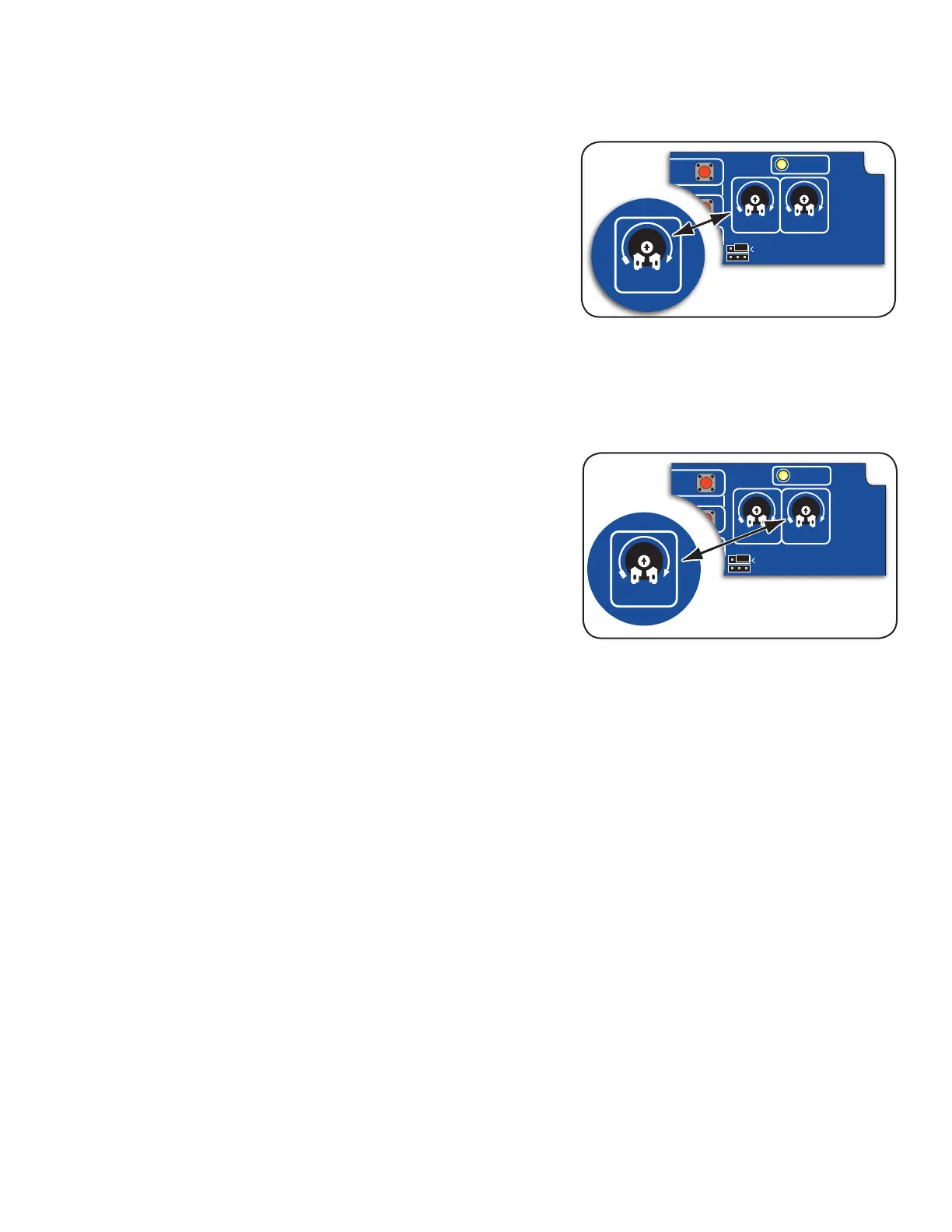
Adjust the Stall Force Setting
The Stall Force potentiometer controls the the amount of force the
opener will apply against an obstruction before it stops and reverses
direction within two seconds.
IMPORTANT: The Stall Force setting will need to be adjusted to
compensate for the weight and size of your gates. For safety reasons,
use the lowest possible setting to operate the gate.
The Stall Force potentiometer on the control board operates like a
volume control on a radio. Use a small flat blade screwdriver to turn the
arrow in the center of the potentiometer. Adjust the sensitivity from the
MINIMUM position just to the point where the gates operate smoothly
without obstructing from their own weight or wind conditions.
NOTE: You may need to increase the stall force in cold weather due to increased resistance from gate hinges.
Set Auto-Close Time
The Auto-Close determines how long the gate will remain open before
it automatically closes. The factory setting is OFF. Use a small flat
blade screwdriver, you can adjust the settings to OFF, or from 3 to 120
seconds.
NOTE: Auto-Close timer is disabled (gate will not automatically close)
if gate is not at the fully open position.











 To Next Page