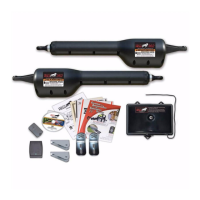
What causes the Charge (red) light to be OFF on a Mighty Mule MM562?
- CCarolyn FletcherSep 12, 2025
If the Charge (red) light is OFF on your Mighty Mule Gate Opener, inspect the AC power transformer, solar panel, and charging circuit.
What causes the Charge (red) light to be OFF on a Mighty Mule MM562?
If the Charge (red) light is OFF on your Mighty Mule Gate Opener, inspect the AC power transformer, solar panel, and charging circuit.
Illustrates the complete Mighty Mule gate operator system installation.
Confirms the product meets UL325 6th Edition, 2016 safety standards.
Provides sales and technical service contact details and website.
Emphasizes installer and user responsibility for safe installation and use.
States operators are for vehicular gates only.
Defines Class I, II, III, and IV vehicular gate operator classifications.
Highlights Dual Sense Technology, auto-close, and compatible gate materials.
Lists optional accessories and contact for sales.
Advises watching the video and reading the manual carefully before installation.
Step-by-step instructions to safely disconnect the gate operator for manual movement.
Warns that the gate moves freely when disconnected.
Lists critical safety rules to prevent injury or death during operation.
Verifies gate suitability, proper installation, and system familiarity.
Illustrates potential pinch and entrapment areas in a pull-to-open gate installation.
Specifies installing operators on the inside of the property, away from public access.
Advises on safe distances for push buttons and key switches.
Mandates attaching warning signs to alert the public about automatic gate operation.
Advises against contact with moving gates and emphasizes keeping children/pets away.
Stresses proper gate maintenance and arranging emergency access.
Explains the built-in entrapment protection and its redundancy.
Recommends photo beams and sensing edges for enhanced protection.
Details the audio alarm activated by repeated obstructions.
Specifies the need for warning signs on both sides of the gate.
Mandates a separate pedestrian gate and safe distance from vehicular traffic.
Identifies required warning labels and their locations on operator housings and control boxes.
Provides step-by-step instructions for manually operating the gate via the control box label.
Details the drive mechanism, power requirements, and control board features.
Provides a chart for expected daily cycles based on gate weight and length.
Illustrates a typical pull-to-open dual gate installation with component labels.
Outlines steps for gate readiness and grounding for lightning protection.
Lists items like gate openers, cables, and installation videos.
Details bolts, washers, nuts, bushings, and clips for mounting.
Lists battery, receiver, transmitter, and transformer.
Specifies tools and extra materials needed for installation.
Explains how bracket placement affects leverage and clearance.
Shows mounting examples for metal and wood posts, including variations for larger posts.
Recommends reinforcement for thin-walled gates and panel gates to prevent damage.
Provides visual examples for attaching the gate bracket to different gate types.
Details securing the post bracket assembly using bolts and washers.
Describes attaching the opener to the brackets using clevis pins and bushings.
Explains using C-clamps to hold brackets in place while adjusting for level.
Step-by-step guide to adjust the pivot bracket for proper clearance and freedom of movement.
Suggests options if initial clearances are not met.
Instructions for marking and drilling holes on the fence post and gate.
Details securing the post bracket assembly with bolts and nuts.
Describes attaching the gate bracket to the gate cross member.
Attaches the opener to the assembled brackets using pins and clips.
Instructs to repeat the Master Opener installation process for the second gate leaf.
Attaches the horizontal stop plate to the master gate frame.
Installs the vertical stop plate and ground stop for the second gate.
Reattaches the master and second gate openers to their respective brackets.
Specifies mounting location requirements for the control box.
Details connecting the battery and installing strain relief for cable entry.
Describes cutting a slot and laying conduit for the second opener's power cable.
Details feeding cables through strain relief into the control box.
Connects the power cable wires to the MASTER OPERATOR terminal block.
Connects the power cable wires to the 2ND OPERATOR terminal block.
Warns against connecting transformer and solar panel simultaneously.
Guides selecting an outlet and measuring low voltage wire length.
Details trenching and using conduit for the low voltage wire.
Guides feeding the low voltage wire into the control box.
Attaches stripped low voltage wire ends to the 18VAC terminals on the control board.
Instructs to plug the transformer into the electrical outlet.
Warns against simultaneous connection of transformer and solar panel.
Details connecting solar panel wires to the 18 VAC terminal block.
Configures the gentle acceleration and deceleration of the gate.
Enables or disables the audible warning buzzer for gate movement.
Configures the gate direction (inward or outward opening).
Sets whether the second gate opens simultaneously or sequentially.
Starts the gate closing sequence and prepares to stop at the desired point.
Sets the closed limit for both master and second gates.
Instructions for opening the transmitter and setting DIP switches for a personal code.
Describes the process of teaching the new code to the gate operator's control board.
Explains how to adjust the force sensitivity for obstruction detection.
Warns against using stall force to compensate for gate binding.
Describes how to set the delay before the gate automatically closes.
Provides guidelines for optimal placement and wiring of the receiver.
Outlines FCC compliance rules for the receiver.
Recommends using additional detection devices and notes compatibility.
Emphasizes turning off power before connecting any devices.
Explains dry-contact inputs and common terminal usage.
Describes the purpose of each control input terminal (COM, CYCLE, SAFETY, EXIT, etc.).
Illustrates connections for automatic gate locks, sensors, and keypads.
Explains connections for sirens, lights, and other devices using relay output.
Notes the need for a Push-To-Open bracket and initial gate position.
Details attaching the post bracket and opener for push-to-open gates.
Guides temporary securing of brackets while adjusting for level.
Adjusts the pivot bracket for proper clearance in push-to-open configurations.
Sets the DIP switch for push-to-open operation.
Installs the second opener for a push-to-open dual gate system.
Starts the gate opening sequence and prepares to stop at the desired point.
Sets the open limit for both master and second gates.
Provides expected voltage readings for system components.
Lists error codes indicated by beeps and their possible causes.
Lists LED status indications and troubleshooting steps.
Explains the function of RED and GREEN LEDs for power and charging status.
Outlines essential monthly checks for safety systems and gate movement.
Recommends periodic lubrication and battery replacement.
Advises using the troubleshooting guide and wizard before contacting service.
Provides contact information and RGA procedures for repairs.
Lists low voltage wire, solar panel kits, and batteries.
Details transmitters, universal receiver, and digital keypad.
Lists wireless entry intercom and gooseneck pedestal.
Describes driveway and wireless vehicle sensors.
Lists automatic gate lock and bulldog pedestrian gate lock.
Describes the wireless driveway alarm system.
Lists photo beams, pin locks, and push button controls.
Mentions push-to-open brackets and replacement transformers.
Lists items to verify before operating the gate system.
Confirms review of safety instructions and maintenance schedule.
| Type | Automatic Gate Opener |
|---|---|
| Operating Voltage | 12V DC |
| Maximum Gate Weight | 850 lbs |
| Maximum Gate Length | 18 ft |
| Gate Length Capacity | 18 ft |
| Remote Controls Included | 2 |
| Solar Compatible | Yes |
| Smart Connectivity | No |
| Power Source | AC or Solar |
| Control Type | Remote Control |
| Warranty | 18 months |
| Battery | 12V |
| Gate Type | Single Swing Gate |


Loading...