- 16 -
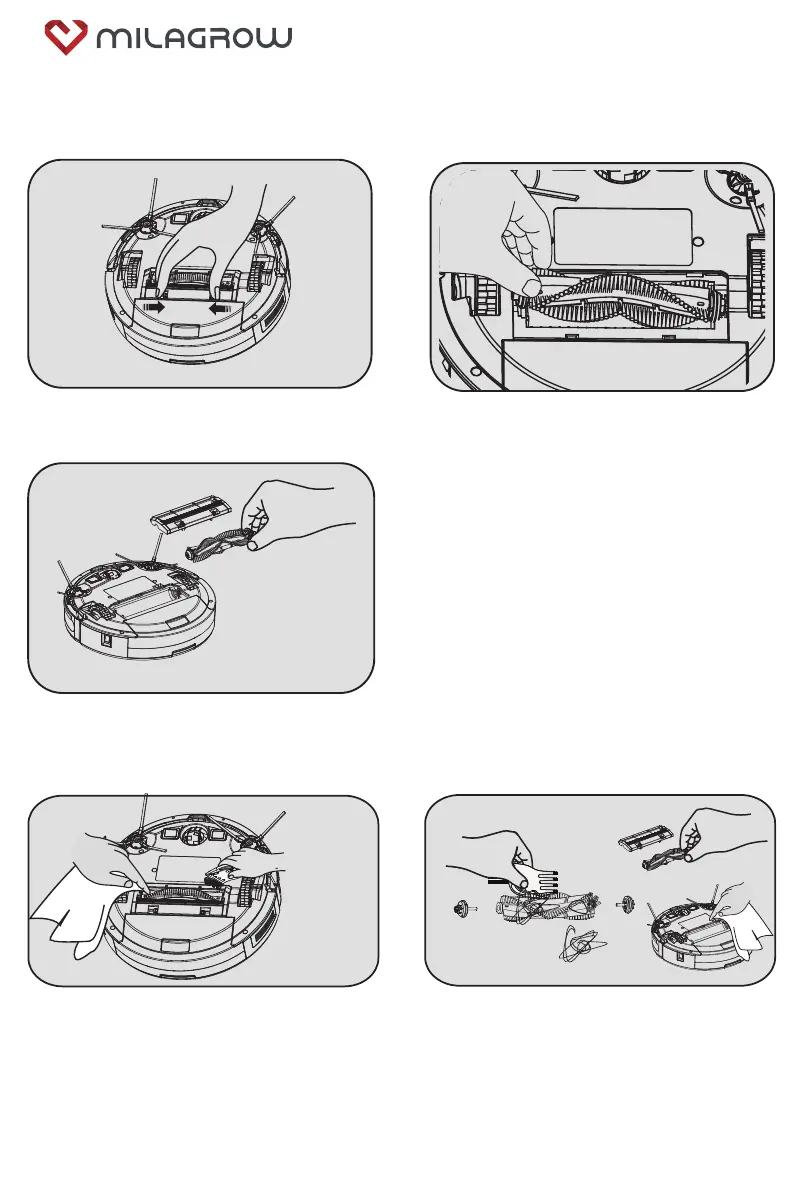
5.3 Clean the middle sweeper
5.3.1 Remove the middle sweeper
5.3.2 Clean the middle sweeping brush
1. As shown in the figure, push the lock lever to
the middle, and lift it up.
3. Remove the middle sweeping scraper
assembly and the middle sweeping brush.
2. Grab the middle sweeping brush and lift it up.
1. As shown in the figure, please use a cleaning
brush to clean the middle sweeping soft brush
and the middle sweeping rubber brush regularly
2. As shown in the figure above, regularly clean
the hair and other entanglements on the
sweeping brush.
BlackCat 21/RedHawk 21



 To Next Page