EasyManua.ls Logo

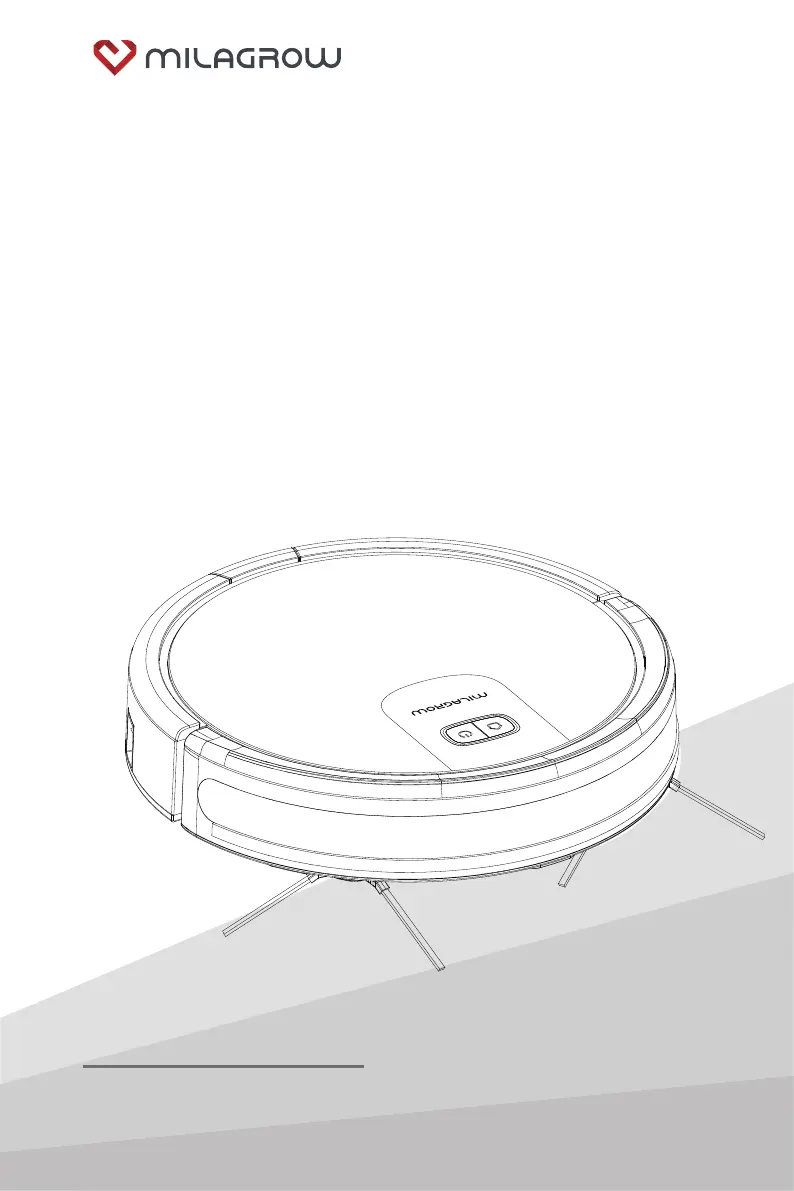
Milagrow RedHawk 21 - User Manual

Default Icon
24 pages
Print Icon
To Next Page IconTo Next Page
Loading...
A0 Sep 14 2020
Thank you for purchasing this product.
Please read the user guide carefully before use.
Robotic Vacuum Cleaner
User Manual
BlackCat 21/RedHawk 21

Questions and Answers

  • S
    Stephanie GonzalezAug 17, 2025
    What to do if my Milagrow Vacuum Cleaner shows a charging fault?
    • P
      pvalentineAug 17, 2025
      If your Milagrow Vacuum Cleaner displays a charging fault, it could be due to a damaged battery or a loose battery cable. Ensure the charging dock power supply is working correctly. If the problem persists, consider replacing the battery.
  • J
    Jon SchmidtAug 19, 2025
    Why does my Milagrow RedHawk 21 Vacuum Cleaner show a floor inspection fault?
    • V
      Virginia CurryAug 19, 2025
      If your Milagrow Vacuum Cleaner reports a floor inspection fault or suspension fault, it means that the cliff sensor is dirty, or the machine is off the floor. Make sure the sensor at the bottom isn't blocked. Ensure the machine is not left in a suspended state.
  • L
    Lauren GrayAug 22, 2025
    What to do if my Milagrow Vacuum Cleaner has a front collision fault?
    • N
      ncampbellAug 22, 2025
      If your Milagrow Vacuum Cleaner indicates a front collision fault, the front shell collision switch may not be resetting properly. Check to see if the machine's collision buffer is normal or loose.
  • M
    Mary WestAug 26, 2025
    Why is my Milagrow Vacuum Cleaner showing a fan fault?
    • A
      Amber WalkerAug 26, 2025
      If your Milagrow Vacuum Cleaner displays a fan fault, it means the fan isn't rotating or the current is too high. Check if the fan blades are loose or if any foreign object is obstructing them.
  • R
    Robin MendozaAug 27, 2025
    What should I do if my Milagrow RedHawk 21 has a middle sweeper fault?
    • M
      moranaaronAug 27, 2025
      If your Milagrow Vacuum Cleaner reports a middle sweeper fault, the rolling brush is likely stuck. Check the middle sweeping brush for any foreign objects that may be causing it to get entangled.
  • S
    Samantha JonesAug 30, 2025
    Why does my Milagrow RedHawk 21 have a side sweeping fault?
    • D
      Douglas SchroederAug 30, 2025
      If your Milagrow Vacuum Cleaner indicates a side sweeping fault, the side brush is probably stuck. Inspect the side sweeping brush to see if it's entangled with any foreign objects.
  • D
    Donald MartinSep 2, 2025
    What to do if my Milagrow RedHawk 21 shows a wall inspection fault?
    • B
      bwalterSep 2, 2025
      If your Milagrow Vacuum Cleaner displays a wall inspection fault, there may be an issue with the wall inspection. Check if the wall inspection transparent window is blocked or interfered with by any foreign object.
  • D
    devinjohnsonSep 5, 2025
    What to do if Milagrow RedHawk 21 battery charge level is low?
    • L
      Lori WangSep 5, 2025
      If your Milagrow Vacuum Cleaner's battery charge is low, it has reached its lower limit. Allow the machine to return to the charging post for recharge.
  • J
    Jennifer MasseySep 7, 2025
    Why does my Milagrow Vacuum Cleaner have a left wheel fault?
    • T
      tboyerSep 7, 2025
      If your Milagrow Vacuum Cleaner is experiencing a left wheel fault, it means the left wheel is overloaded. Check the left wheel to see if anything is entangled in it.
  • M
    Michael ValdezSep 12, 2025
    Why does my Milagrow Vacuum Cleaner have a right wheel fault?
    • B
      Brian ReyesSep 12, 2025
      If your Milagrow Vacuum Cleaner is experiencing a right wheel fault, it means the right wheel is overloaded. Check the right wheel to see if anything is entangled in it.

Summary

Safety Instructions

Safety Precautions

Important warnings and precautions to prevent damage, shock, or injury.

Child Safety Guidelines

Guidelines for children's safety when using the vacuum cleaner.

Battery Information and Precautions

Information and precautions regarding the product's batteries.

Product Use

Host Machine Operation Guide

Instructions on operating the main unit, including control keys, working modes, and indicator lights.

Charging Methods Explained

Details on manual and automatic charging procedures for the robotic vacuum cleaner.

Product Maintenance

Troubleshooting Guide

Fault Indication and Solutions

Table detailing fault indications (light flashes) and their corresponding solutions.

Milagrow RedHawk 21 Specifications

General IconGeneral
ModelRedHawk 21
Battery TypeLithium-ion
Battery LifeUp to 120 minutes
Charging Time4-5 hours
Noise Level60 dB
SchedulingYes
Warranty1 year
TypeRobotic
Dustbin Capacity600 ml
Water Tank Capacity300 ml
FeaturesAuto-charging
Cleaning ModesAuto, Spot, Edge
SensorsAnti-drop, Anti-collision
Remote ControlYes

Related product manuals