- 14 -
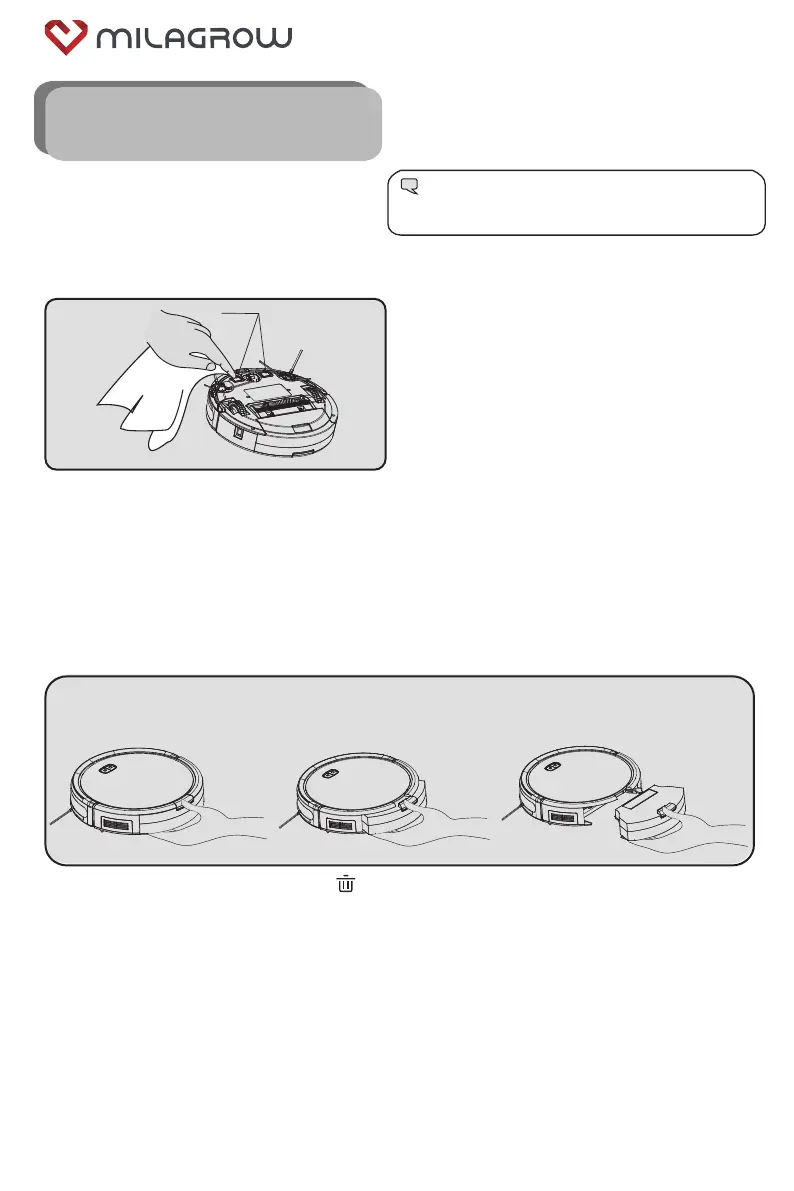
5.2 Clean the dust box
5.2.1 Install and remove the dust box
As shown in the figure above, press the “ ” key on the dust box to eject the dust box, and then remove
the dust box.
5.1 Clean the charging pole pieces
5. Product Maintenance
Charging pole pieces
Tip:
Please clean and maintain the vacuum cleaner
regularly according to the use conditions.
1. Please turn off the power switch or unplug the power cord first.
2. Please use a dry cloth to wipe them once a month.
3. Do not scrub with oil.
BlackCat 21/RedHawk 21



 To Next Page