MILESTONE
USER MANUAL
ETHOS EZ User manual MA073-006 Terminal chapter Page - 42 -
EasyControl
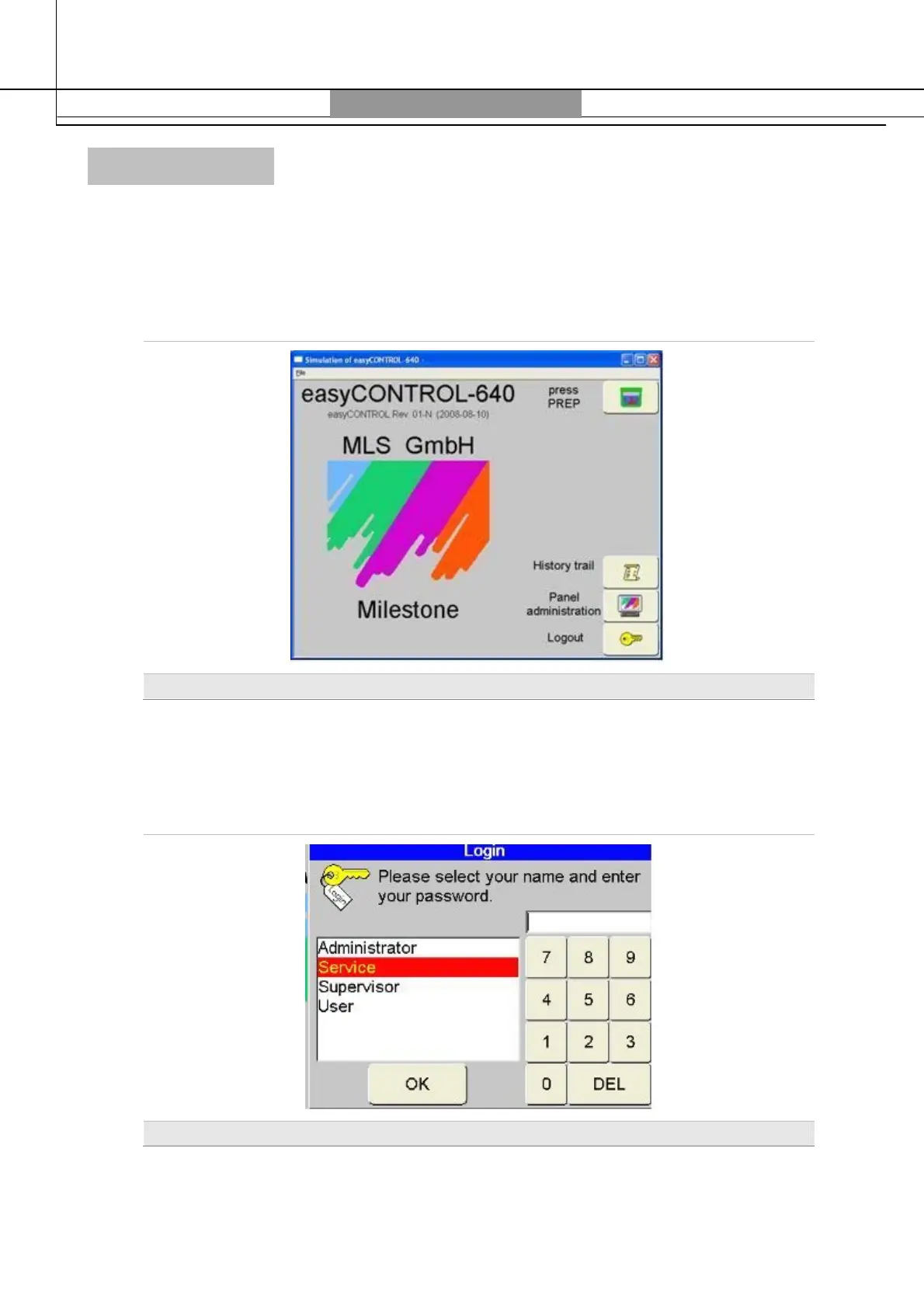
Program Start / Login
Switching on the unit also the terminal is turned on and the program is initialized.
There are different levels of access authorizations to operate that are described in the
following program description.
Request to insert Flash Card
1 Insert your USB pen drive. The user defined on the pen will be recognized and requested
to identify.
2 Select your user name in the Login window. Type in your user id and confirm with
OK.
Use Touch Screen or mouse; the keyboard is not active at this time
.
Login
At time of shipment of the unit the following passwords are assigned.
The passwords can be changed in the Control Panel.



 To Next Page