MILESTONE
USER MANUAL
ETHOS EZ User manual MA073-006 Terminal chapter Page - 56 -
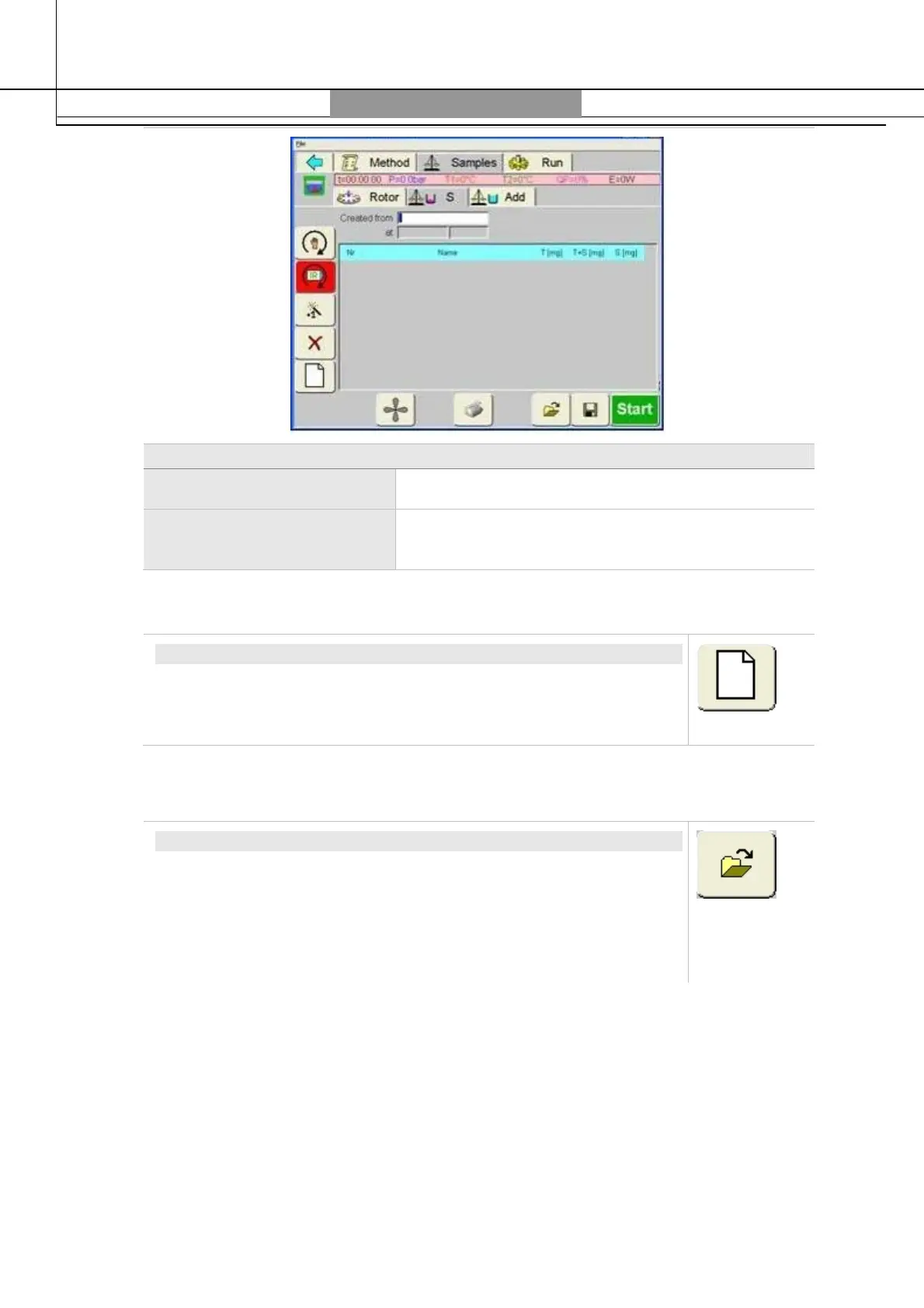
Sample Table
S (Sample) Enter sample weight.
Add (Addition of
chemicals)
Enter the chemicals / reagents to be added.
Open new Sample Report/Table
OPEN NEW SAMPLE REPORT
This icon opens a new empty sample table. The currently opened
sample report will be cancelled from the working memory. Therefore
save before opening a new report.
Open/Save/Delete
OPEN SAMPLE TABLE
Touching this icon will open a list of sample reports saved on the
USB pen drive. Select the desired sample report from the list. The
name will show in the Name
box.
Touching on the
Open
icon the selected sample report will be loaded
in the hard memory and the window will be closed.


 To Next Page