MILESTONE
USER MANUAL
ETHOS EZ User manual MA073-006 Terminal chapter Page - 58 -
General Input
Method
A field is activated by simple touch on the keyboard, touching
twice will open a numeric input window on the Touch-screen,
alternatively a mouse can be used.
Add Data Record
ADD DATA RECORD
ouching this icon will add a new line in the sample table.
The sample name and the data of the chemicals will be taken over
from the selected record. If the name has a number as last
character, then this is automatically increased by 1.
Delete Data Record
DELETE DATA RECORD
The selected record (Table line) is cancelled.
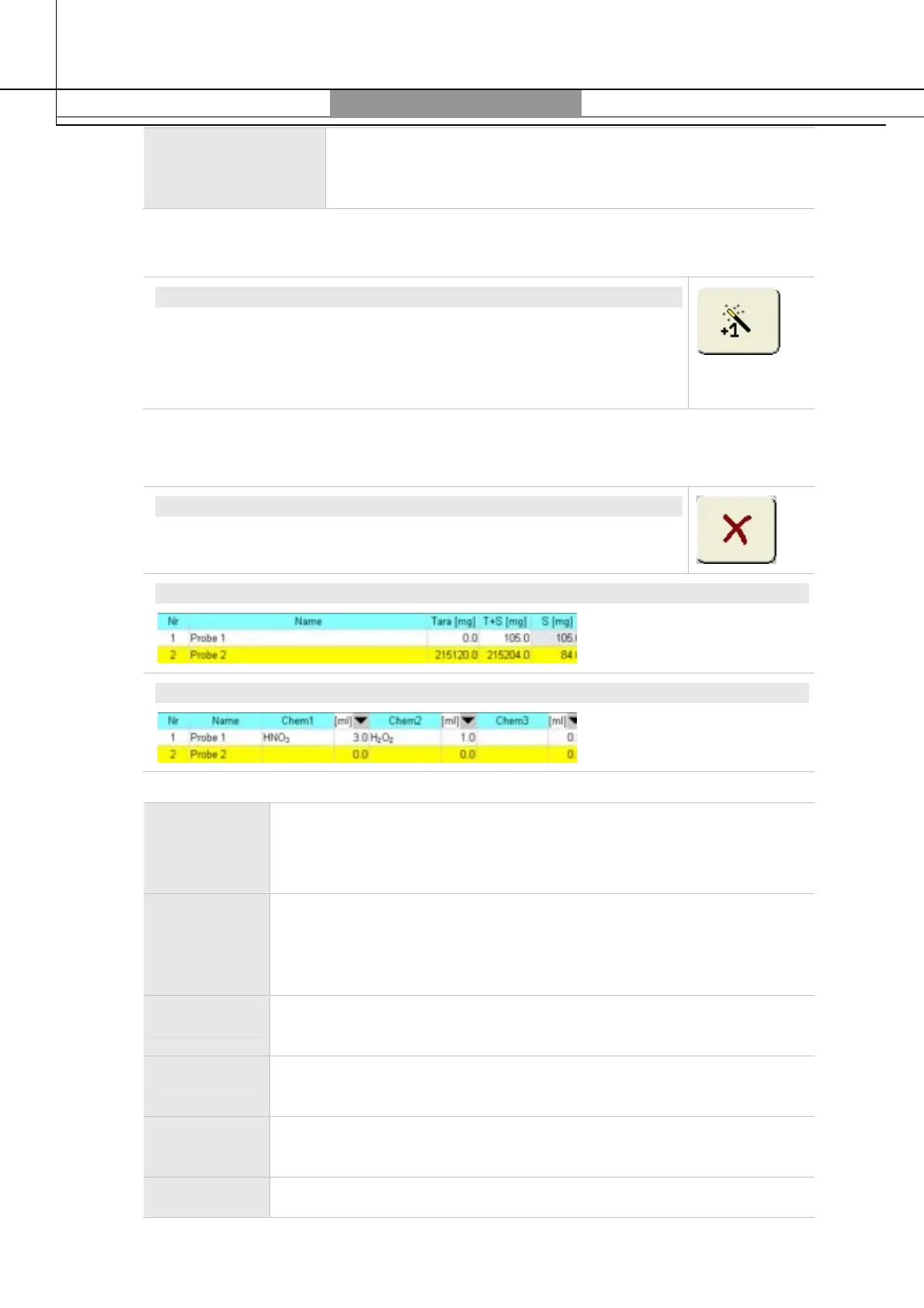
S (SAMPLE)
ADD (ADDITION OF CHEMICALS)
Nr. Number of sample or sample vessel/vial.
Should only few positions be occupied, the non-occupied position can
be changed overwriting an occupied position.
Name The name of the selected record will be automatically taken. If this
name has a number at the end, this will be automatically increased
by one (for example Sample 1 becomes Sample 2). Sample name can
also be entered by user (max. 29 characters).
T(Tare) Column for weight of sample container. If sample is tared/weighed
on the balance, no weight must be entered.
T + S Weight of container and sample. If sample has been tared/weighed
on the balance, also the sample weight can be entered.
S (Sample) Weight of the sample is calculated automatically from the values of
tare and T+S.
Chem1-3 Addition of chemicals/reagents


 To Next Page